A weekly claims meeting for a roofing company should take 30 minutes and cover three things: what money came in, which claims are stuck, and whose work is late. Everything else is a status update that people can read on their own. The meeting ends when every stuck claim has one person's name and one date next to it, and somebody has read those back out loud.
I build CRM For Claims, software for roofing and restoration companies that run insurance work, and the weekly meeting is where a claims CRM either gets used or gets ignored. The pages that come up when you search for a roofing meeting agenda are about sales pep talks, contests and the mission statement. That meeting has its place. This post is about the other one, the one that decides why a supplement on a hail roof has sat for three weeks and who calls the desk adjuster on Monday.
Who sits at the table, and what each person brings
Keep the room small. Four seats are enough for most claim shops, and each seat arrives having already looked at its own list. If someone opens the CRM for the first time when the meeting starts, the first ten minutes go to scrolling.
Claims or office coordinator
Runs the meeting and keeps the clock.
Walks in with the payments posted since last week and the claims waiting on a carrier answer, with the date each request went out.
Production lead
Speaks for crews, materials and the build calendar.
Knows which approved jobs are not on the calendar yet, and which finished roofs still have no completion paperwork.
Sales reps
Only for their own red claims, not for the whole list.
Has one sentence ready per red claim: what it is waiting for, and from whom.
Owner or general manager
Breaks ties and approves anything that costs money.
Comes to decide, not to ask. Anything that needs digging goes on the log under their own name.
If the same person is the coordinator and the production lead, that is fine. What matters is that every list has an owner who walks in with it already read. The split between office and field is its own subject, and I wrote about it in splitting office and field work on one claim.
The 30-minute run sheet
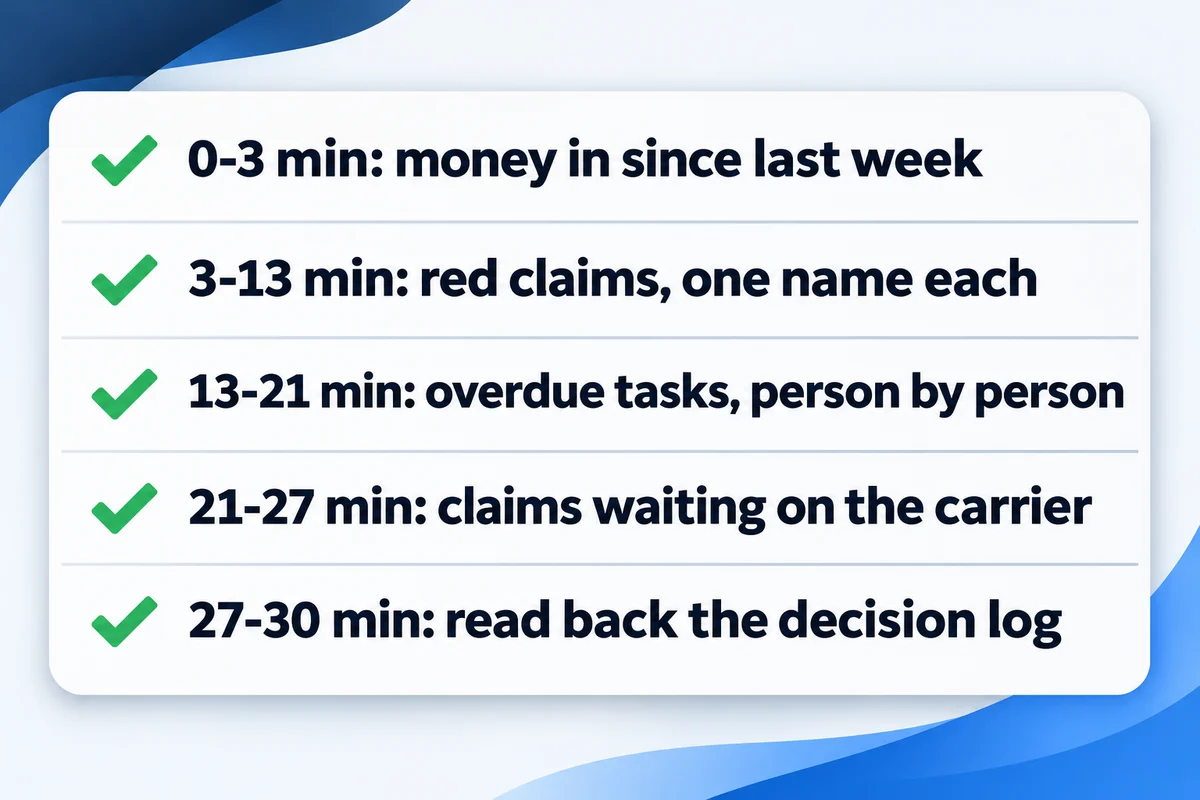
This is the order I would start with. It puts money first because good news makes the hard part shorter, and it puts the decision log last because that is the only part anyone remembers by Tuesday.
- 0-3
Money in since last week
The coordinator reads the total deposited and names any check that arrived without a matching claim, such as a depreciation release nobody was expecting yet. No discussion here. A strange check goes straight onto the log.
- 3-13
Red claims, one name each
Only the claims that nobody on them has touched in a week. The rep says what the claim is waiting for in one sentence. The room agrees on the next move and who owns it. Ten minutes covers about a dozen; more than that and the meeting is telling you something about workload.
- 13-21
Overdue tasks, person by person
Walk the late tasks one person at a time rather than one claim at a time. People are quicker to admit a pile of their own late calls than to defend each one separately, and you see who is overloaded in about a minute.
- 21-27
Claims waiting on the carrier
Supplements sent, reinspections requested, final invoices out for depreciation. For each, the date the request went out and whether a follow-up is due this week. This is where carrier delays get caught before the homeowner calls you about them.
- 27-30
Read back the decision log
The coordinator reads every line: claim, decision, owner, date. If an owner hears their name and disagrees, now is the time. After this, the meeting is over even if it started late.
Notice what is missing: new leads, inspections booked, marketing. Those belong in a separate sales meeting with different people. When a claims meeting tries to carry both, the sales half always wins because it is more fun to talk about, and the stuck supplement waits another week.
Which list answers which question
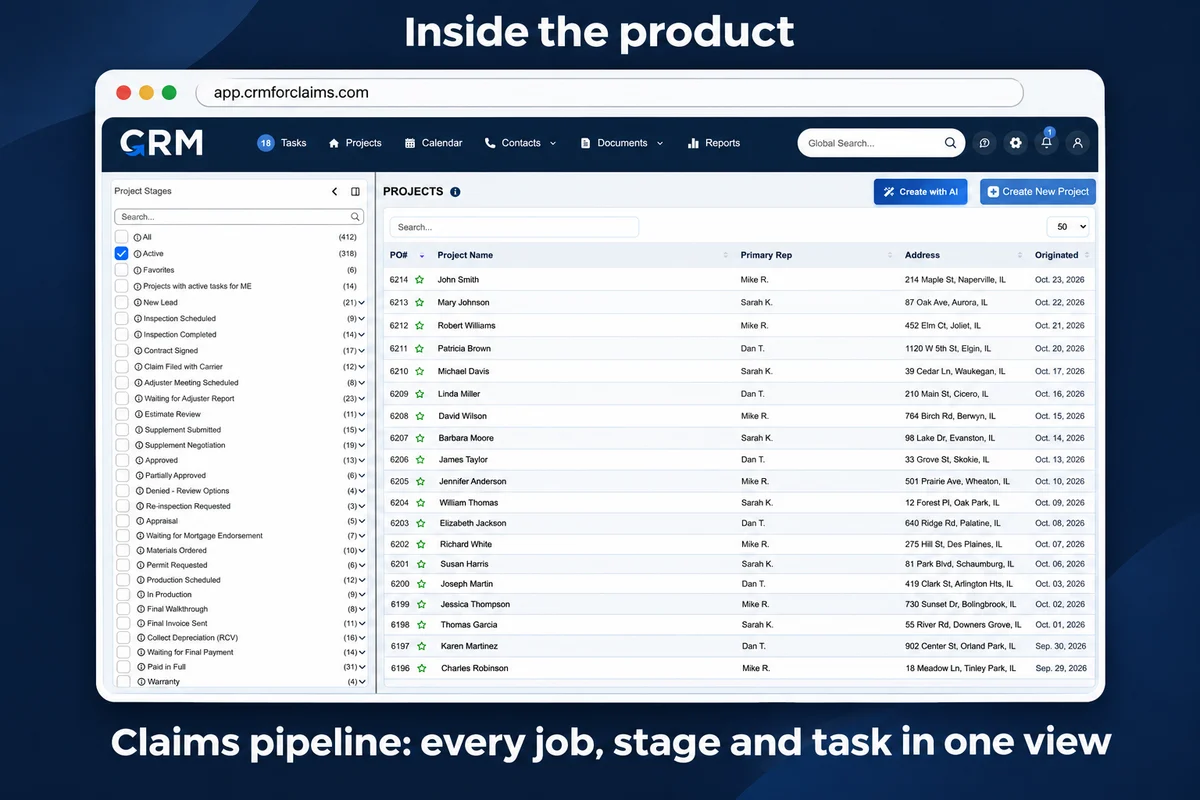
The whole point of running claims in a CRM is that these lists already exist before anyone sits down. Nobody should be building a spreadsheet on Sunday night for a Monday meeting. In CRM For Claims, each question on the run sheet maps to a screen the team already uses.
| Question in the meeting | Where the answer is | A useful answer sounds like |
|---|---|---|
| Did money come in? | KPI screen, last 7 days | "Four deposits, one we did not expect, it is on the log." |
| Which claims are stuck? | Project list, attention filter on | "Waiting on the mortgage company's inspection, I call them Tuesday." |
| Whose work is late? | Task list, Overdue, by user | "Six late, four are the same carrier, I will batch them today." |
| What is one rep carrying? | Project list cut to that rep | "Thirty-one open, nine red, I need the coordinator on two." |
On the project list, the filter Show only those who require attention leaves only the claims that are red for you. A claim turns red for a person on it after a set number of days without them working on it: 7 by default, and each user can be set anywhere from 1 to 29 days or Never. Working on the claim, like adding a note, resets that clock for you. Claims sitting in a final stage never turn red, so closed jobs do not clutter the meeting.
The task list has Overdue, Due Today and High Priority filters, plus Assigned to User, so you can walk the late work one person at a time. The KPI screen counts the projects created in any date range you pick and totals the payments deposited in it. The project list can also be cut to one rep with Show user's projects. More on how those reports are put together is on the reporting and KPIs page, and the tasks that stages create on their own are covered under automations and tasks.
How do you stop it turning into a status read-aloud?
By refusing to discuss any claim that is moving. If a claim is not red and has no overdue task, it does not get airtime, however interesting the rep finds it. That single rule cuts the meeting down more than any other, because the healthy claims were never the reason anyone was there.
The second rule is that a stage is not an update. "It is in supplements" says where the claim sits, which everyone can see on the screen. An update says what it is waiting for and from whom: "the desk adjuster has had the ridge cap photos since the 4th." If a rep cannot say that sentence, the claim gets a task to find out, with their name on it, and the room moves on.
The third rule comes from contractors outside roofing who have run these meetings for years. A remodeler interviewed in the Journal of Light Construction runs a weekly production meeting where every project manager goes through every job, and finished jobs stay on his list as open until the money is in. His reason for the meeting:
"This helps us verify information and not leave it to guesswork."Dave Bryan, Blackdog Builders, Salem, N.H., in the Journal of Light Construction
On an insurance roof that matters more than on a cash job, because the last check is often the recoverable depreciation, and it only comes after a final invoice and a certificate of completion reach the carrier. A crew that finished in September and a claim that is still red in November are the same job, and the meeting is where somebody notices.
A few more habits that keep it short. Start on the minute, even with two chairs empty. Post the run sheet in the same place every week so nobody needs it explained. Never correct someone's work in front of the room; take it to them afterwards. And if one claim needs more than three minutes, it gets its own call later the same day with only the two people who can settle it.
The decision log
The log is the meeting's only output. Keep it on the claim itself as a note, not in a separate document, so the next person who opens the claim sees what was decided and when. A shared notebook that lives in the coordinator's bag is how the same claim gets discussed for the fourth week in a row.
Example log from one meeting. The claims are made up for illustration.
| Claim | Decision | Owner | By |
|---|---|---|---|
| Hail roof, Oak St | Resend supplement with ridge cap photos and ask for a reinspection | Rep | Tue |
| Wind, two-story colonial | Final invoice and completion certificate to carrier for depreciation | Coordinator | Mon |
| Hail roof and gutters | Call mortgage company about the second draw inspection | Coordinator | Wed |
| Leak repair, ranch | Unexpected check: match it to the claim before depositing | Owner | Today |
Each decision is an action a single person can finish, with a day of the week, not "follow up" and not "the team." When the same claim shows up on next week's log with the same decision, that is the signal to change the approach, not to try harder. Over a month the log also tells you which carriers and which kinds of requests eat your time, which is the start of the numbers I wrote about in the five numbers worth watching in a claims business.
Starting it next Monday
Run it three times before you change anything. The first week the red list will be long, because nobody has been working the attention filter, and the meeting will run over. By the third week the reps clear their own red claims on Friday so they do not have to explain them on Monday, which is the real reason to hold the meeting at all.
If your claims still live across a spreadsheet, a whiteboard and three inboxes, the meeting will show you that in the first ten minutes. You can see how the pipeline, tasks and reports fit together on the features page, or book a live walkthrough and I will show you the attention filter and the task list on a demo account, set up the way your office runs its week.