Short answer: The difference isn't the pipeline diagram or the price — it's what the CRM already knows how to model. An insurance claim CRM has adjusters, carriers, and claim stages built in from day one. A generic contractor CRM has "companies" and "deals" you rename and hope hold up. Everything else in this post is that one fact working itself out in practice.
I build CRM For Claims, and I get some version of this question from almost every roofing or restoration office we talk to: "we already have a CRM, why would an insurance claim CRM be any different?" Fair question. Most CRMs look the same in a demo — pipeline, contacts, tasks, a dashboard. The differences don't show up in the sales call. They show up three months in, on the fortieth claim, when someone asks "wait, where did the adjuster's number go?"
What actually differs between an insurance claim CRM and a generic contractor CRM?
Four things, concretely: how claims are modeled as a pipeline (versus a sales funnel), whether adjusters and carriers exist as real contact types, whether documents and e-signatures live on the claim itself, and whether automation understands claim events instead of generic "deal moved to stage 3" triggers. Everything below is one of those four playing out.
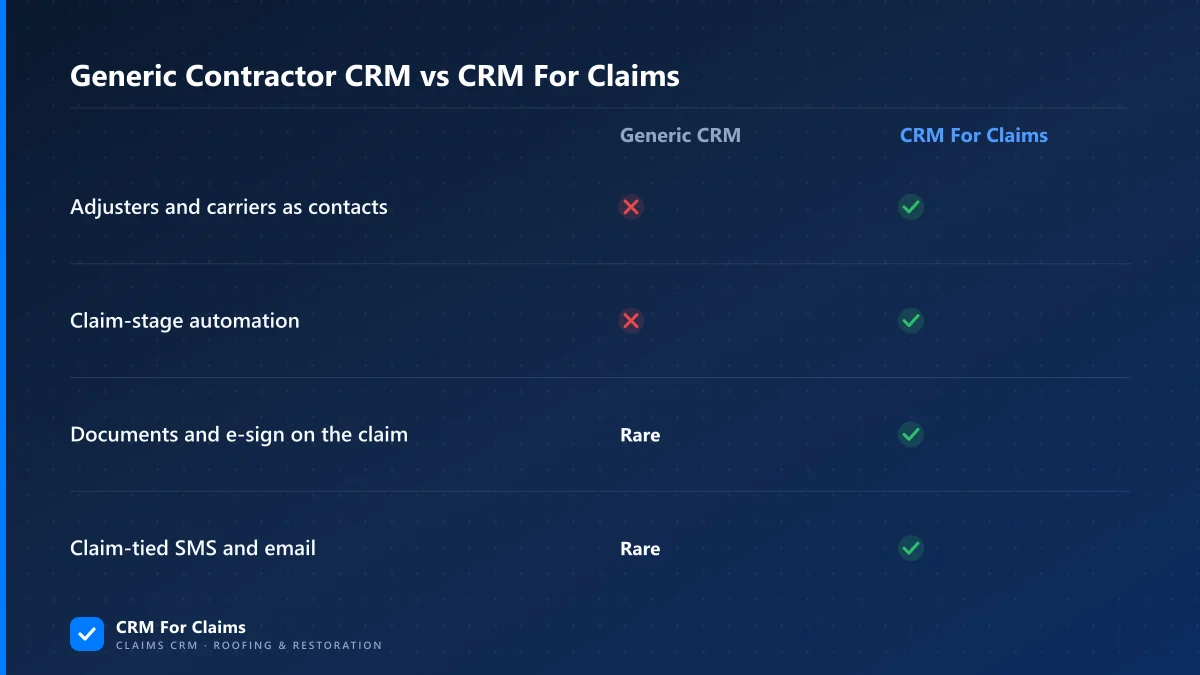
None of these are exotic features. They're just decisions someone had to make about your business before you ever logged in. A generic contractor CRM's vendor didn't make them, because they don't know if you do claims, cabinets, or landscaping. A claims CRM's vendor made all four, because claims work is the only thing it does.
Do adjusters and carriers really need their own contact type?
Yes, because they behave nothing like a customer or a lead, and a CRM that files them as "companies" loses the relationship that actually matters — who's assigned to which claim. A claims CRM keeps customers, adjusters, carriers, and crews as distinct contact types linked to the job, not just people sharing one contact table.
Think about what a generic contractor CRM contact record is built for: a homeowner or a business you're selling to. It has fields for "how did they hear about us" and "deal value." An adjuster isn't a lead — they didn't find you through a Google ad, and they're not deciding whether to buy. They're assigned to a claim by the carrier, they need to see specific documentation, and the entire relationship exists because of that one job. Cram that into a "company" record renamed to fit, and you lose the thing you actually need: which adjuster is on which claim, and what they're waiting on from you right now.
| Who | Role on a claim | In a generic CRM |
|---|---|---|
| Customer | Homeowner or business filing the claim | Modeled fine — it's a normal contact |
| Adjuster | Assigned by the carrier, inspects and approves scope | Usually a note field or a renamed "lead source" |
| Carrier | Insurance company issuing the policy | Often not modeled at all — a text field |
| Crew | Performs the repair or restoration work | Sometimes a "vendor," sometimes ignored |
CRM For Claims keeps all four as real contact types on the contacts side of the platform, tied to the claim they belong to. That sounds small until your fifth crew member asks "who's the adjuster on the Miller job" and the answer is a click instead of a text thread.
How does stage automation differ from a generic sales pipeline?
A sales pipeline ends when the deal closes. A claim is barely started when the paperwork is signed — there's still an inspection, documentation, back-and-forth with the carrier, the actual repair, and getting paid. Stage automation in a claims CRM fires on those real events (inspection booked, documents sent, payment approved); a generic CRM only knows "moved to stage 3," which you have to define yourself.
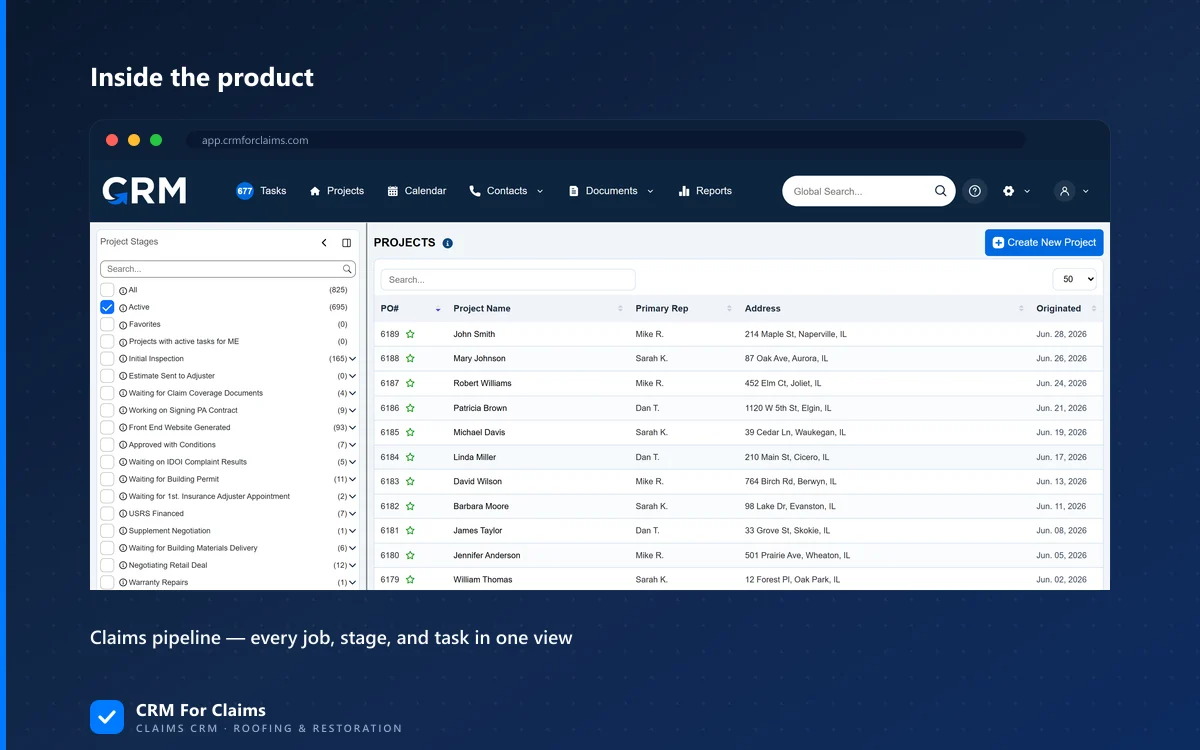
This is where a lot of generic CRM setups quietly fail. Someone configures a pipeline called Intake → Inspection → Adjuster → Repair → Paid, which looks right in the settings screen. But the automation engine underneath still only understands "a deal changed stage" — it has no idea that "moved to Adjuster" should mean "send the customer their documentation checklist and text the adjuster's office." You end up writing that logic yourself in a generic rule-builder, testing it, and maintaining it every time your process shifts. A CRM built for claims ships that logic already wired to the events, because the vendor already knows what happens at each stage of a claim — they don't have to guess, and you don't have to build it.
Do documents and e-signatures need to live on the claim itself?
Yes — otherwise every insurance document ends up scattered across email threads, a shared drive, and someone's phone, with no single place that shows what's been sent, signed, and stored for this specific claim. A CRM built for claims puts document generation, e-signing, and storage on the claim record, so the file trail matches the job, not an inbox.
A generic contractor CRM usually treats this as "attachments" — you can upload a PDF to a deal, which is fine for a signed estimate, but doesn't cover generating a document from claim data, routing it for e-signature, and keeping every version tied to that one job. That gap gets filled with a separate e-sign tool, a separate storage habit, and a mental map of "the scope is in Dropbox, the signed agreement is in Gmail, the final invoice is in QuickBooks." Nothing's wrong with any one of those tools — the problem is that no single place shows the whole document trail for one claim, which is exactly what an adjuster, a carrier, or your own bookkeeper eventually asks to see.
Where does a generic CRM genuinely work fine for a contractor?
If claims aren't the core of your revenue — say you do mostly retail replacement jobs with no insurance involvement, or you span several unrelated trades — a flexible generic CRM can be the honest, cheaper call. The test isn't "is my business a contractor," it's "does my revenue depend on how cleanly claims move from intake to paid."
I'm not going to pretend a claims-specific CRM is the right tool for every roofing or restoration business. If insurance work is a small slice of what you do, the setup cost of a specialized tool may not pay back. But once claims are a meaningful share of the work — and for most restoration companies, and a lot of roofers, they are — the four gaps above stop being minor and start being the thing your office manager fights every week.
| Plan | Monthly | Notes |
|---|---|---|
| Essentials | $59 | Company account + first admin user included |
| Professional | $99 | +$39/mo per additional user |
| Enterprise | Custom | +$39/mo per additional user |
Full detail on what's included at each tier is on the pricing page — it's month-to-month, no contract, and onboarding is included so you're not decoding a video library alone.
What should you check before you decide either way?
Look past the pipeline diagram in the demo and check whether adjusters and carriers are real contact types, whether documents and e-signatures live on the claim, and whether automation understands claim events — not just whether it "has a CRM" checkbox next to it.
- Ask to see an adjuster's contact record — not a "company," an actual adjuster tied to a claim.
- Ask what triggers automation — "stage changed" is generic; "inspection booked" or "documents signed" is claim-aware.
- Ask where a signed document lives a year from now — on the claim, or scattered across email and a drive.
- Ask what happens to your existing history if you switch — can it come with you, or do you start from zero.
We went through the full side-by-side comparison if you want the longer version of this list. And if you'd rather just see it on a real claim than read another comparison table, book a live walkthrough — we'll run it on your workflow, not a demo script.