Short answer: A generic CRM is built to sell to the largest possible market, so it stays deliberately vague — one flexible shell for real estate, agencies, gyms, and contractors alike. A niche CRM is built around how one industry actually works. For insurance-claim work, that difference decides whether the software fits your day or fights it.
I build CRM For Claims, and before that I spent years building software and websites for roofing, restoration, and claims businesses. The same thing came up on almost every project: the team had already bought a big-name CRM, and they were quietly working around it. Deals renamed to "claims." Custom fields bolted on to track a deductible. A pipeline stage called "waiting on adjuster" that the tool never understood. They were paying for flexibility and spending their own hours turning that flexibility into a fit.
So let's talk honestly about why the biggest CRMs are generic on purpose — and when that's the wrong tool for a claims team.
Why do big CRM companies build generic tools?
Because generic sells to everyone. A CRM that works "for any business" has a market of millions; a CRM built only for restoration claims has a market of thousands. For a company chasing the largest possible customer base, breadth is the smarter business decision — even though it produces a worse fit for any single trade.
That's not a criticism, it's just the economics. When your product has to serve a real-estate broker, a SaaS sales team, and a roofing contractor from the same codebase, you can't hard-wire anything specific. You ship an empty framework — contacts, "deals," a pipeline you name yourself, custom fields you configure yourself — and you call that flexibility. It is flexibility. It's also homework. Every hour your office manager spends bending a generic tool into a claims tool is an hour the vendor didn't have to spend, and you did.
What does "built for a niche" actually change?
A niche CRM ships with your industry's reality already inside it. For claims work that means claim stages, insurance documents, adjusters and carriers as first-class contacts, and automations that fire on the events that actually happen on a job — not "deal moved to stage 3," but "inspection booked, so send the customer their prep checklist."
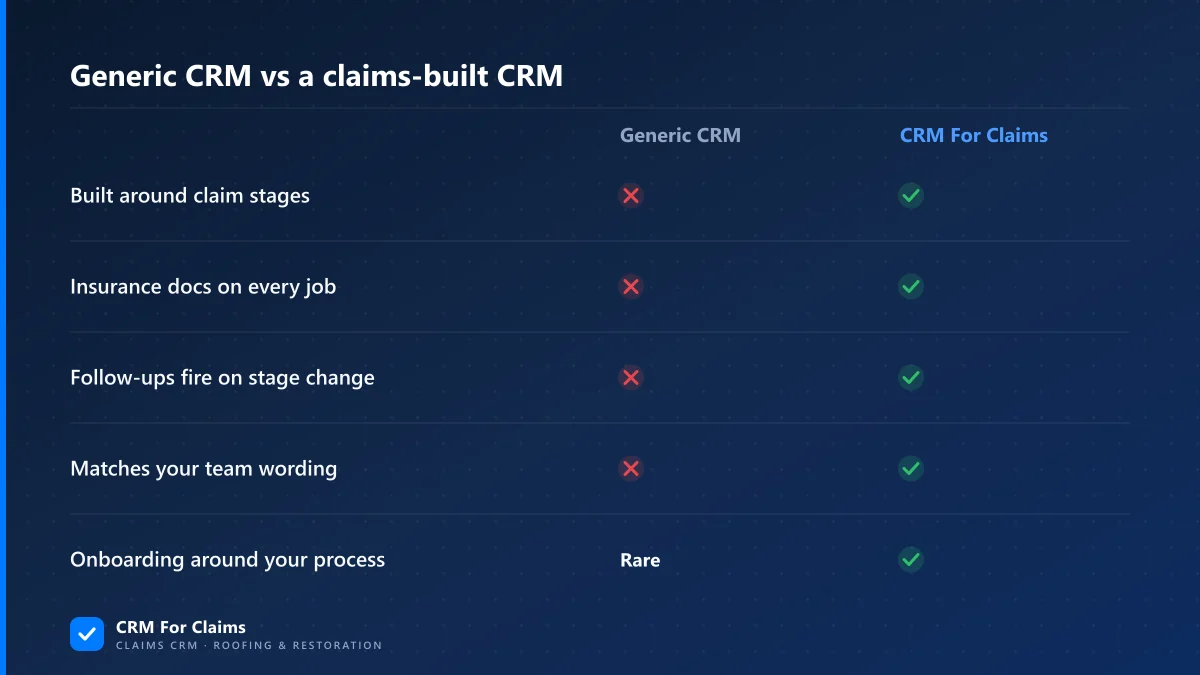
Here's the same comparison in plain terms:
| What claim teams need | Generic CRM | Claims-built CRM |
|---|---|---|
| Pipeline that matches a claim's real stages | You build it | Ready on day one |
| Insurance documents attached to the job | Bolt-on or third app | On the claim itself |
| Adjusters & carriers as real contacts | Renamed "companies" | Built in |
| Automation that speaks claim events | Generic triggers | Stage-aware |
| Language your team already uses | "Deals / leads" | "Claims / jobs" |
None of this is magic. It's just decisions made for you by people who assumed you do claims — instead of decisions you have to make yourself while onboarding a tool that assumed nothing. If you want the full breakdown, the features page walks through each piece, and the comparison page lays it against general contractor CRM software.
How does a claims-first CRM map to real restoration work?
It follows the job the way your team already does: intake, inspection, documentation, the back-and-forth with the adjuster, the work itself, and getting paid. Each stage carries the tasks, messages, and files that belong to it, so nothing lives in one person's inbox or truck.
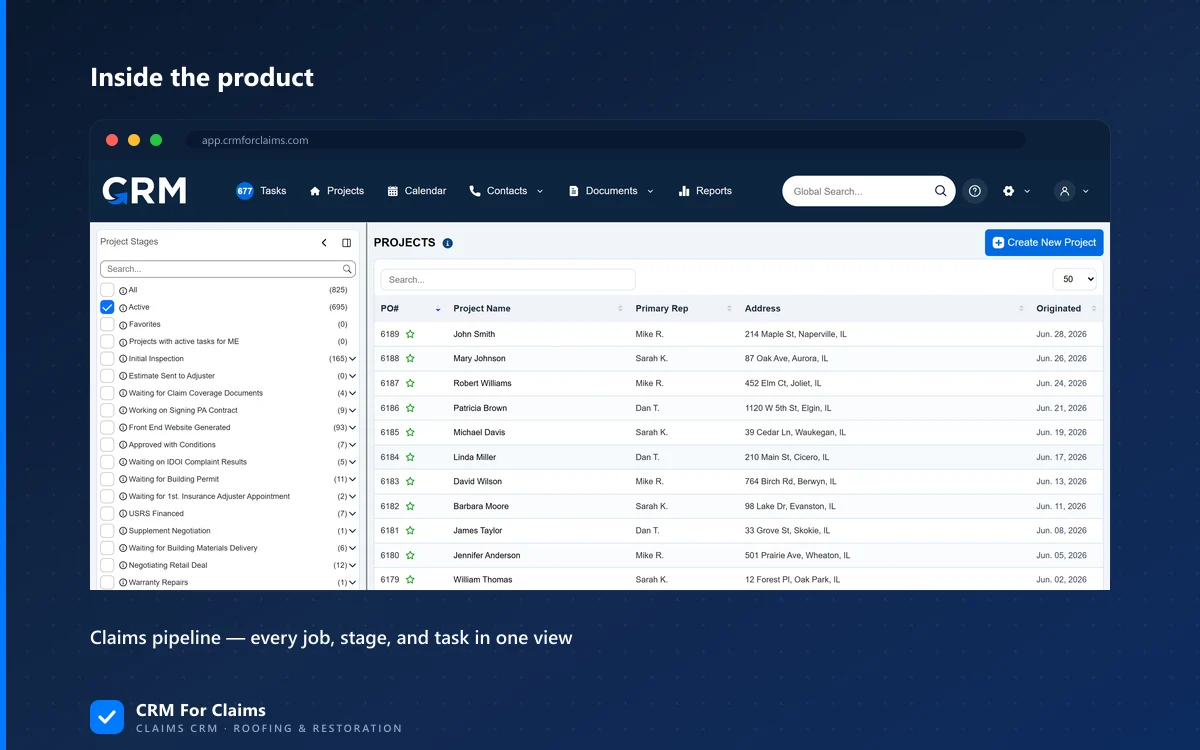
A restoration claim is not a sales funnel. A sale ends when money changes hands; a claim is barely getting started at that point. There's an inspection to schedule, photos and scopes to file, a carrier who wants documentation in a specific shape, supplements, approvals, the actual repair, and an invoice that has to line up with what was approved. A generic pipeline flattens all of that into "stages" you invent. A claims CRM already knows the shape, so stage automation can do real work — create the task, send the SMS, move the status — the moment your team takes an action. That's the difference between software that records what you did and software that moves the job forward.
Won't we outgrow a niche tool as we scale?
Usually the opposite. Teams outgrow the workarounds, not the focus. As volume climbs, the manual glue holding a generic CRM together — the renamed fields, the spreadsheet on the side, the "remember to follow up" — is exactly what breaks. A tool built for claims absorbs more volume without more improvising.
Scale is where niche fit pays off most. Ten claims a month, you can hold in your head. A hundred a month across a few crews, and the cost of every tiny bit of friction multiplies. The question isn't "will we outgrow a claims CRM," it's "how much will the workarounds cost us by the time we're busy." Growing on top of a system that already thinks in claims is far less painful than re-templating a generic one every time you add a crew or a service.
When is a generic CRM actually the right call?
When claims aren't your core. If your business is mostly straight sales, or you genuinely span several unrelated lines that share nothing, a flexible generic CRM can be the honest choice — you'd waste a niche tool's strengths. The test is simple: does your revenue live or die on how well you run claims?
I'm not going to pretend a specialized tool wins every time. If you sell one product with a two-step pipeline, almost anything works, and a big generic platform gives you a huge app marketplace. But if the thing that actually makes or breaks your month is how cleanly claims move from intake to paid, then "flexible enough to do anything" quietly means "built for nothing you do." That's the trade you're really weighing.
What should you look for in a niche claims CRM?
Look for fit you don't have to build. The right claims CRM should feel obvious on day one, not like a blank canvas you have to paint before it's useful. A quick checklist:
- Claim stages out of the box — an intake-to-paid pipeline that matches how your jobs really move.
- Documents on the claim — generate, send, e-sign, and store insurance-ready files against the job, not in email.
- Stage automation — tasks, SMS, and status changes that fire on real claim events.
- Communication logged on the job — every text and email tied to the claim, so anyone can pick it up.
- Invoicing tied to the work — billing and payments that line up with what was approved.
- Onboarding around your process — a team that sets it up to your workflow, not a video library you decode alone.
That last one matters more than people expect. A niche vendor can afford to set the system up around your process because they only serve your process. A generic vendor serving fifty industries can't — so onboarding becomes your problem. You can see how we've priced that in on the pricing page: the base plan includes the company account and your first admin user, and onboarding is included on every plan.
We built CRM For Claims for one job — running insurance-claim work for roofing and restoration teams — precisely because the generic tools kept forcing that job into a shape it doesn't have. If that sounds like the fight your office has every week, book a live walkthrough and we'll show it on your real workflow, not a slideshow.