Short answer: Real claims CRM onboarding is a configuration job, not a training job. Before your team ever logs in, someone should have set up your claim stages, your contact types, your document templates and your automations to match how you already work. A video library is what you get when nobody does that part.
Every CRM looks good in the demo, because the demo account was configured by someone who knew exactly what they were doing. Then you sign up, log in, and the account is empty. That gap is where claims CRM onboarding either happens or quietly does not — and "here is your login, here is the help centre, here are forty training videos" is the polite way of telling you it did not.
I build CRM For Claims, so I have a side in this. But the honest version is that the software is the easy part. Configuring it around how a roofing or restoration company actually runs claims is the work, and whoever does that work is doing your onboarding, whether or not anyone calls it that.
What should claims CRM onboarding actually include?
It should end with a working account: your stages, your contact types, your document templates, your users, and your open claims already in it. Training comes after that, and it should be short — a system configured around your own process does not need much explaining. If the account is still empty on day one, onboarding has not started yet.
The reason this gets sold as training is that training is cheap to produce once and ship to everyone. Configuration is not. Somebody has to sit with you for an hour, find out that you call the stage after the adjuster signs off "approved — scheduling" and not "closed won", and then go build that. Multiply by every customer and you see why a lot of vendors would rather record a video.
| What onboarding is often sold as | What it has to be |
|---|---|
| Access to a library of training videos | An account configured with your stages before anyone logs in |
| A knowledge base and a chat widget | A named person who answers questions about your setup |
| A 30-minute kickoff call to "show you around" | A working session on your process, then the setup built for you |
| "Import your contacts to get started" | Your open claims sitting in the pipeline at the right stage |
Why does a video library fail as onboarding?
Because it teaches the software in general instead of your version of it. A video showing a generic pipeline cannot tell your project manager which stage a claim moves to after the adjuster approves the scope, because that answer depends entirely on how your company named and ordered its own stages.
There is a second problem, and it is the one that actually sinks rollouts: the people who most need onboarding are the least likely to watch a video. Your estimator is on a roof. Your office manager is on the phone with a carrier. Neither of them is going to work through a training playlist on a Tuesday afternoon, and if the system does not make sense the first time they open it, they go back to the group text and the spreadsheet. A rollout does not usually fail loudly — it fails by everyone quietly not using it.
To be fair to video libraries: they are genuinely useful after setup. When a new hire starts in month four and needs to know how to send a document for signature, a two-minute clip is the right tool. The failure is using reference material as a substitute for configuration, not the existence of the material.
What has to be configured before your team logs in?
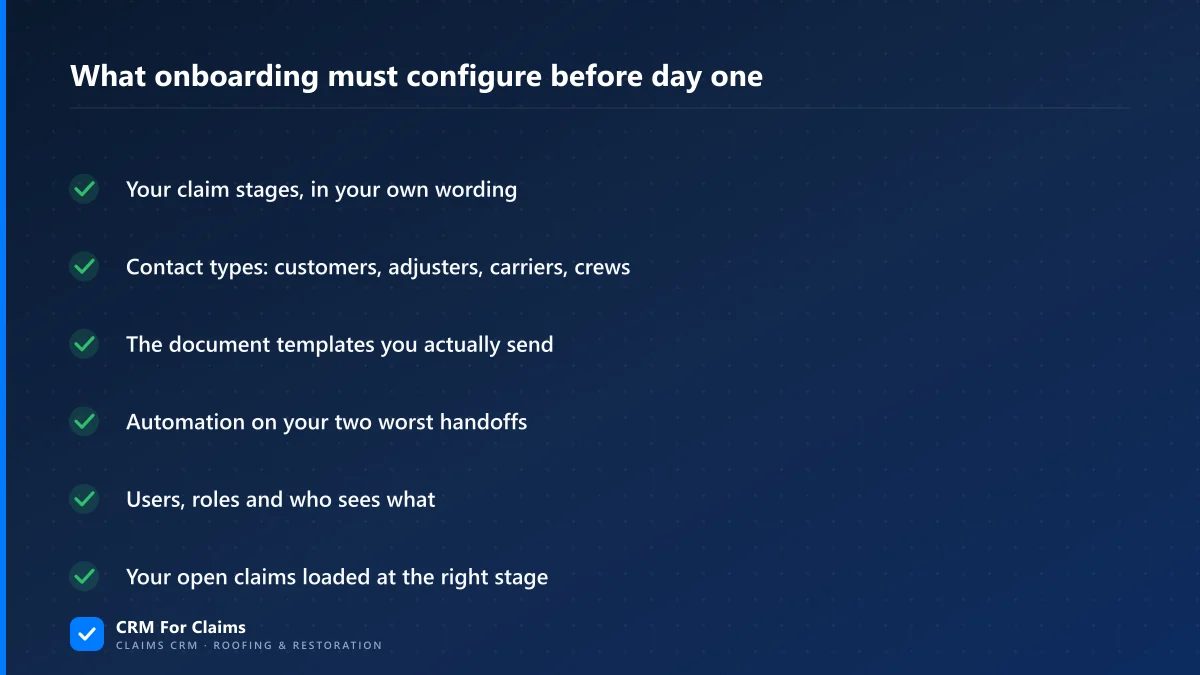
Six things, and they are all decisions rather than technical work: your claim stages in your own words, the contact types you deal with, the documents you actually send, automation on your two worst handoffs, users and permissions, and your open claims loaded at the right stage. Everything else can wait.
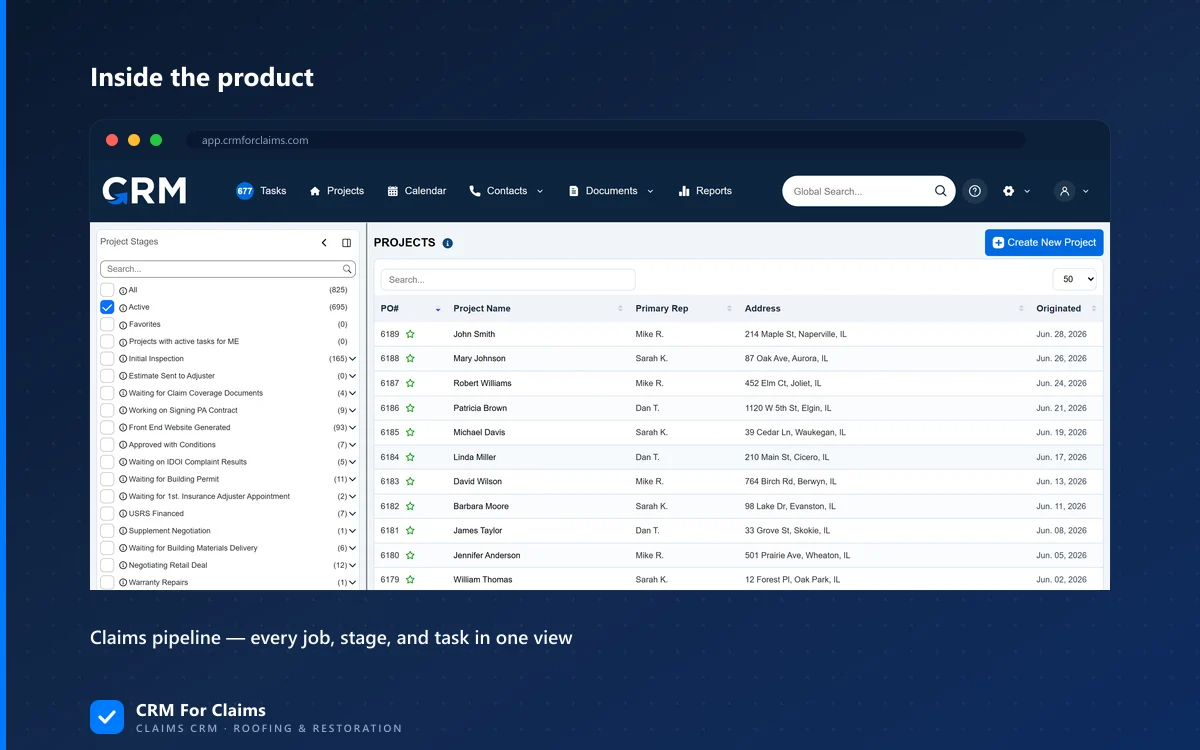
- Your claim stages, in your wording — not "lead / opportunity / won". If your team says "inspection scheduled" and "waiting on adjuster", the pipeline should say that too, or people will hesitate every time they move a job.
- The contact types you really deal with — customer, adjuster, carrier, crew, sometimes a public adjuster or a mortgage company. Every one of those is a different relationship, and squashing them into one "contact" list is the first workaround people build around a generic tool.
- The documents you actually send — your contract, your scope sheet, your certificate of completion. Templates built from your real files, not blank samples somebody is supposed to fill in later.
- Automation on your two worst handoffs — usually inspection-to-estimate and adjuster-approval-to-scheduling. Two is the right number to start with. Ten automations on day one means nobody knows why anything is happening.
- Users, roles and who sees what — before the team logs in, not after someone opens a screen they should not have.
- Your open claims, at the right stage — an empty pipeline teaches nobody anything. A pipeline with your fourteen live jobs in it is instantly the most useful screen in the company.
How long should claims CRM onboarding take, and who does what?
For a small roofing or restoration team, days — not months. Configuration is a short list of decisions plus somebody entering them. What takes real time is the part only you can supply: agreeing on what your stages are called and which of your four contract versions is the current one. A CRM that needs months of implementation is telling you something about itself.
The split matters as much as the timeline. If a vendor hands you the configuration work and calls it "flexibility", you are doing the implementation and paying a subscription for the privilege. Here is the division that actually works:
| Step | Who does it | Realistic time |
|---|---|---|
| Map your current claim stages and handoffs | You, in one working session | 1–2 hours |
| Build the stages, contact types, roles and permissions | The vendor | Same week |
| Turn your real contract and scope sheet into templates | The vendor, from your files | Same week |
| Load open claims and active contacts | Both — you supply, they import | 1–2 hours of your time |
| Switch on the first two automations | The vendor builds, you approve | Under an hour |
| Walk the team through their own account | Together, live | 30–45 minutes |
What if your current process is a mess?
Then onboarding is the cheapest moment to tidy it — but not to redesign it. Configure around the process you genuinely run today, even where it is imperfect, and change one thing at a time once people are actually in the system. A CRM rollout that doubles as a company-wide process reinvention tends to fail as both projects at once.
In practice "our process is a mess" usually means one of two specific things. Either the same step is done differently by different people — two estimators, two ways of handling supplements — in which case pick one during the mapping session and configure that one. Or nobody has ever written the process down, which feels like chaos but is normally a real, consistent process living in somebody's head. An hour of questions gets it onto paper.
What you should not do is move everything at once. I wrote about that at length in what to move first when leaving spreadsheets behind: open claims and active contacts go in, closed history stays where it is. The same restraint applies to onboarding. Getting five live claims running correctly beats getting three years of archives imported perfectly.
How can you tell during a demo whether onboarding is real?
Ask who configures the account, when, and what they need from you. A vendor doing real onboarding answers with a person, a sequence and a timeline. A vendor handing you a video library answers that the platform is very flexible and that their support team is fantastic — both of which may be true and neither of which is an answer.
- "Who sets up my stages — you or me?" If the answer is you, add that time to the price you are comparing.
- "Will my open claims be in the system before my team logs in?" An empty account on day one is a rollout that has not started.
- "Can you build my contract as a template from the file I send you?" This separates real document handling from a file-upload box.
- "What happens in week three when we want a stage renamed?" A support ticket and a wait is a different product than a five-minute change.
- "Is onboarding included, or is it a separate fee?" Either answer is fine. A vague answer is not.
Those questions belong next to the rest of the ones worth asking on a call — I put a longer version in the practical buyer's checklist for choosing a roofing CRM. The point is not to catch anyone out. It is that onboarding is the single largest hidden variable in what a CRM costs you, and it is almost never on the pricing page.
And the honest carve-out: if you are a solo operator with a simple, self-pay-heavy process and you actually enjoy setting up software, a self-serve tool with good documentation is a perfectly reasonable choice. You are your own implementation team, the configuration decisions are all yours anyway, and you will be faster than any onboarding call. The moment a second person needs to work the same claims, that changes — because now the setup has to make sense to someone who was not in your head when you built it.
CRM For Claims is configured around your claim process before your team logs in, and onboarding is included with every plan rather than sold as a separate implementation project — the full plan breakdown is on pricing, and what the system does day to day is on features. If you want to see it set up with your stages instead of a generic demo account, book a live walkthrough, or start by seeing how it lines up against what you run today on the comparison page.