Short answer: Look for claim-specific fields (adjuster, carrier, insurance status), stage automation built for claim work, a documents hub with e-signing, transparent per-user pricing, and a demo built around a real roofing or restoration workflow — not a generic sales pipeline you have to bend into shape.
I build CRM For Claims, so I have an obvious stake in how you evaluate a CRM for a roofing company. I also read a lot of the shopping questions and demo requests that come in before someone signs up, and the same five or six come up almost every time. This is that checklist, written the way I'd answer it if you called and asked me directly — including the parts where a big generic CRM is still the right answer.
What should a roofing company actually look for in a CRM, beyond contacts and a calendar?
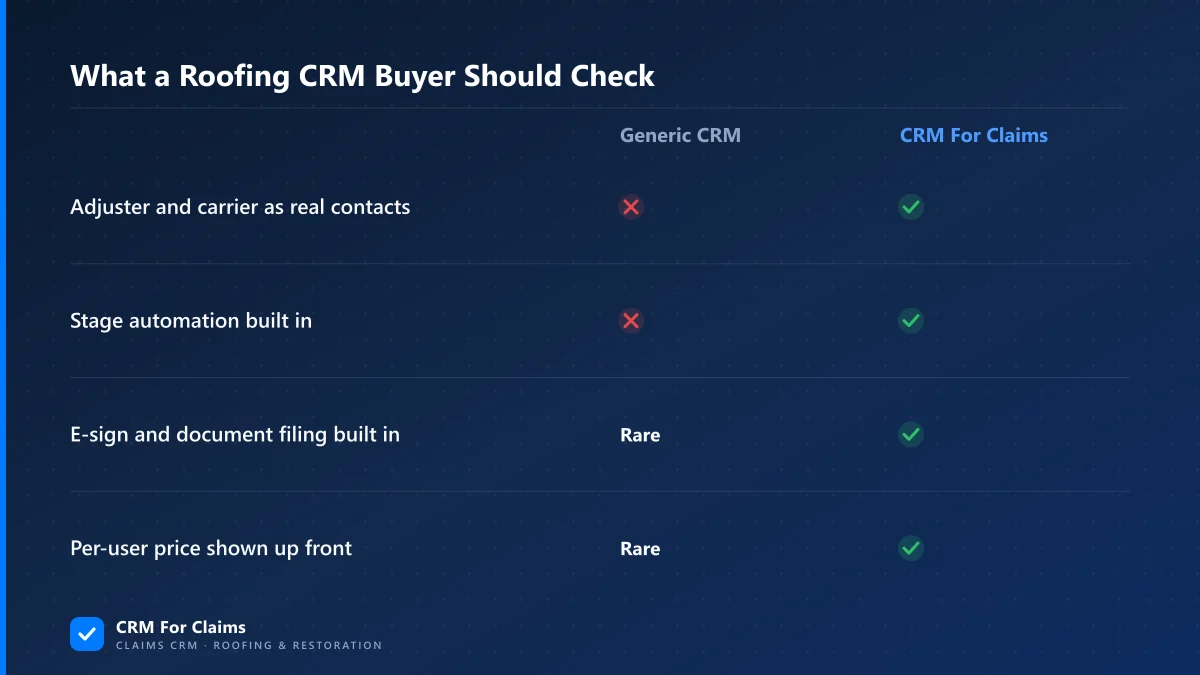
Look past the basics every CRM has — contacts, a calendar, a pipeline board — and check whether the fields and stages match how a claim actually moves: intake, inspection, adjuster review, production, and payment. A CRM built for general sales has none of that built in, and you end up building it yourself.
Every CRM on the market can store a name, a phone number, and a due date. That's not the differentiator. What actually separates a fit for roofing and restoration work from a mismatch is whether the system already knows the shape of a claim before you configure a single field: an adjuster is a different kind of contact than a homeowner, an estimate can be approved for less than what was submitted, and a job isn't "closed" the moment someone signs — it's closed when it's paid. If you have to build all of that yourself with custom fields and workarounds, you haven't found a claims CRM. You've found a blank whiteboard with a login screen, and you're the one designing it during business hours you don't have to spare.
Does a roofing CRM need to handle insurance claims, or is that overkill for a small crew?
If most of your revenue comes from insurance-paid work, yes — claim-specific structure pays for itself fast. If you run mostly retail or cash jobs with no adjuster involved, a general contractor CRM is a genuinely fine choice, and you shouldn't pay for claim features you'll never touch.
This is the one place I'd rather talk you out of overbuying than into a purchase. The moment you have adjusters, supplements, RCV/ACV splits, and multiple payers on the same job, a claims-shaped CRM saves real hours every week — those are exactly the fields and stages a generic tool doesn't have. If you're doing straightforward retail reroofs with a homeowner paying directly out of pocket, none of that machinery does anything for you, and a simpler, cheaper contractor CRM is the honest recommendation. Our breakdown of when a niche CRM beats a generic one goes deeper into that trade-off if your business is a mix of both.
What features actually save time on a roofing crew's day-to-day?
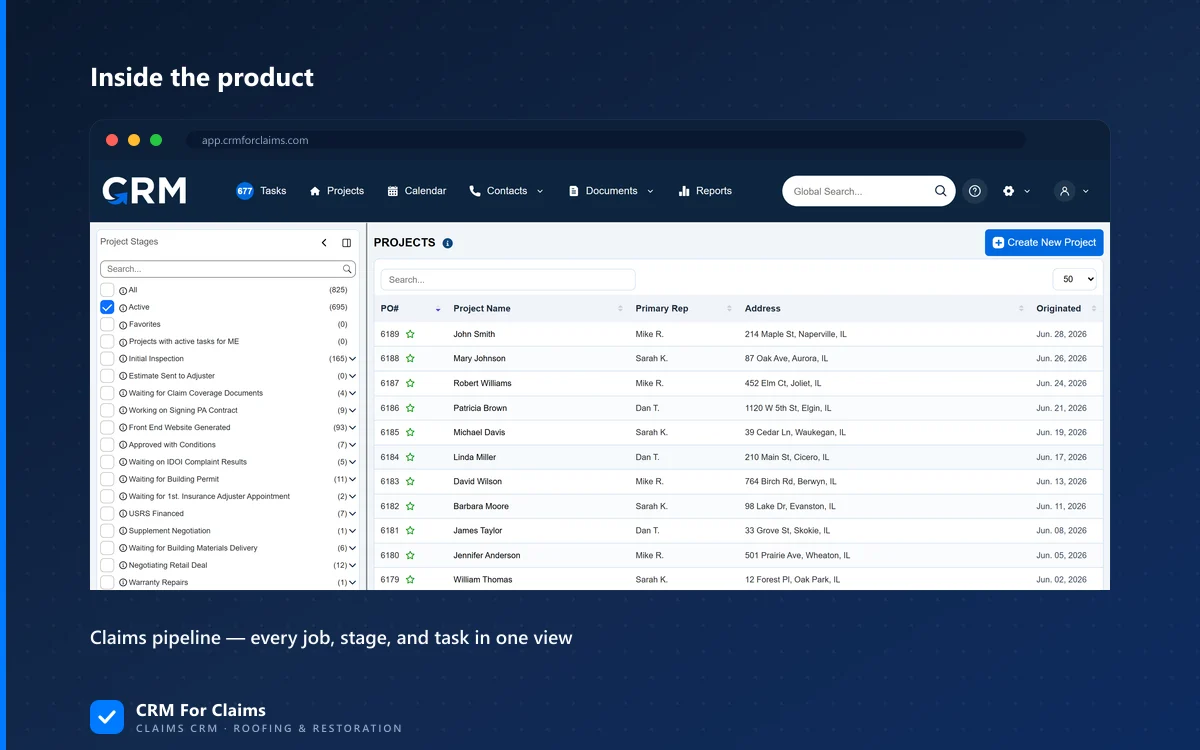
The features that save real time are the ones that remove a manual step someone already does today by hand: stage-triggered tasks and messages, a documents hub that files signed paperwork automatically, and a customer portal that answers "what's the status" without a phone call.
| Daily task today | What removes it |
|---|---|
| Manually texting the crew when a stage changes | Stage automation that fires SMS/email on a status change |
| Emailing a contract, then chasing a signature | Documents hub with built-in e-sign and auto-filing |
| Answering "where's my claim" phone calls | Customer portal with live claim status |
| Re-typing an invoice from the approved estimate | Invoicing generated from approved line items |
None of these are exotic. They're the parts of a claim that are boring, repetitive, and currently done by a person who could be doing something that actually needs a person's judgment instead. Our features page lists what's built in versus what you'd still have to bolt on somewhere else.
How do you tell a genuinely flexible CRM from one that's just unfinished?
A genuinely flexible CRM lets you adjust labels, stages, and templates inside a structure that already understands claim work. An unfinished one hands you an empty pipeline and calls the blank slate "flexibility" — and you end up doing the vendor's product design for them, on your own time.
"Flexible" is the word every general CRM uses to describe the fact that it doesn't do anything specific yet. That's not a knock on those tools — plenty of businesses genuinely want a blank canvas. But if you're buying a CRM specifically because your current process — spreadsheets, sticky notes, a shared inbox — isn't holding up anymore, buying another blank canvas just moves the same unsolved problem into a more expensive tool. Ask what comes pre-built for a claim, not just what you're technically allowed to build. And ask what onboarding actually looks like: a folder of generic help articles is not the same thing as someone helping you set up your real stages on day one.
What questions should you ask in a demo to expose a bad fit before you buy?
Ask to see an adjuster added as a contact, a claim moved through a real stage change with automation firing, and an invoice generated from an approved — not full — estimate amount. If any of those needs a workaround mid-demo, that's the gap you'll be living with after you sign.
- "Show me an adjuster as a contact, not a note." — If the answer is a custom field or a free-text note, adjuster history won't be searchable or reportable later.
- "Move a claim to the next stage and show me what fires automatically." — If nothing fires, "automation" in the sales deck means Zapier you'll have to build yourself.
- "Generate an invoice for less than the full estimate." — Insurance rarely approves the full ask; if invoicing assumes 100% approval, you'll be editing every invoice by hand.
- "What happens to a signed document 30 seconds after it's signed?" — If the honest answer is "it emails you a PDF," you still own the filing problem.
- "What's the real monthly cost with my actual headcount?" — Ask this before you're in a contract, not after. See below.
What does pricing actually look like once you add your team?
Most CRMs quote a base price that only covers one or two seats, then charge per additional user — so the number that matters is the total at your real headcount, not the number printed on the pricing page. Ask a vendor for that total in writing before you sign anything.
| Plan | Base price | Per additional user |
|---|---|---|
| Essentials | $59/mo | +$39/mo per user |
| Professional | $99/mo | +$39/mo per user |
| Enterprise | Custom | Custom |
That's what CRM For Claims charges — the base plan covers the company account and the first admin user, it's month-to-month with no contract, and billing runs through Stripe so card numbers never sit on our servers. I'm putting our own numbers on this page specifically so you have something concrete to hold a vendor's quote against, not because ours is automatically the cheapest fit for your team size. Run the same "base plus per-seat" math on anything you're evaluating; it's the number that actually determines what you pay in six months, once the first crew member gets added as a user. Our pricing page and comparison page both walk through the fuller breakdown.
Is it worth switching mid-season, or should you wait?
If your current setup is actively costing you claims or slowing down payment, switch now — a partial season on a working system beats a full season on a broken one. If it's mostly annoying but functional, plan the move for your slow season so you're not learning new software in the middle of a storm spike.
Migrating claims mid-storm is possible, but it's not the fun version of the project. The safer version moves open claims first and leaves closed history where it already lives, instead of trying to import everything on day one. If you want the fuller migration approach, we cover it in what to move first when leaving spreadsheets for a claims CRM.
None of this is a pitch to skip your own research — it's the checklist I'd want if I were the one buying. If you want to run through it live against your own workflow instead of a canned demo, book a walkthrough and bring your messiest current claim. That's usually the fastest way to see whether a tool actually fits, or just looks good in a slide.