
Short answer: Move active claims, contacts (customers, adjusters, carriers), and anything with a deadline first — that is where a spreadsheet actually costs you money. Leave one-off calculations and closed, archived claims in the spreadsheet for now; migrate them later or not at all.
I build CRM For Claims, and the question I hear most from offices thinking about moving off spreadsheets is not "should we switch" — it is "where do we even start." Going from spreadsheets to a claims CRM feels like an all-or-nothing move, so a lot of offices freeze and keep patching the spreadsheet for another six months. It does not have to be all at once. Some data belongs in the CRM immediately. Some belongs in the spreadsheet for a while longer. Getting that split right is most of the migration.
What should move into the CRM first?
Move anything that is currently open, currently owed money, or currently waiting on another person — active claims, live contacts, and pending tasks. These are the rows that change daily and that other people need to see correctly right now.
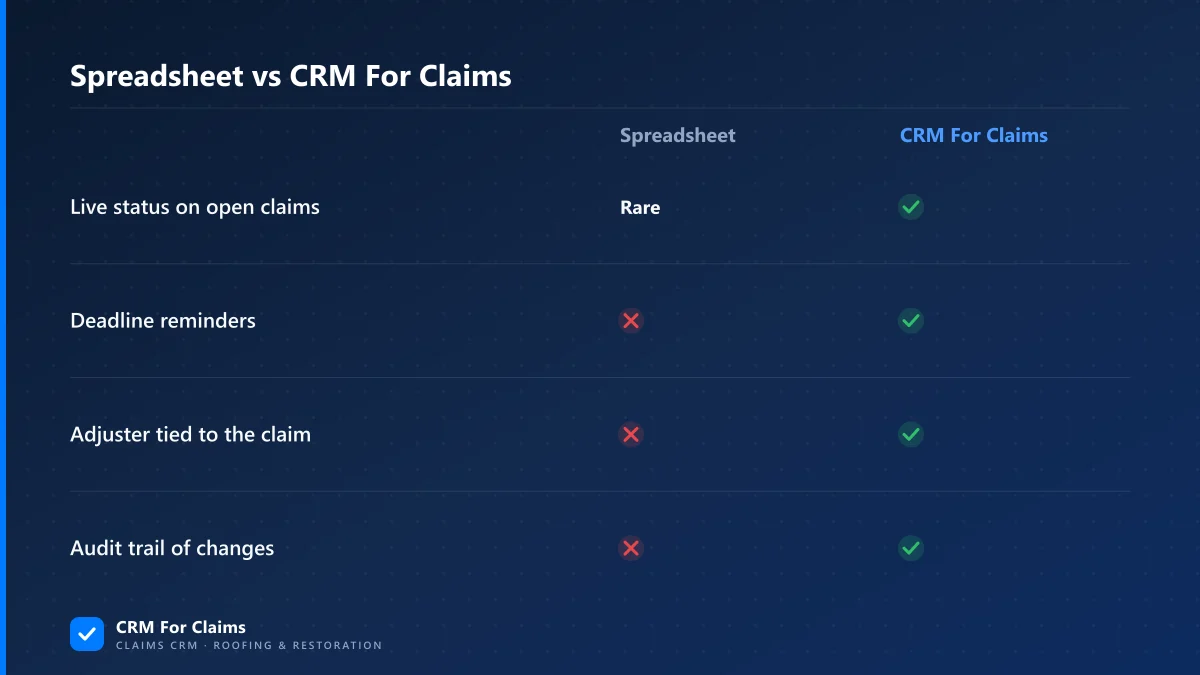
In practice that is three categories. First, every claim that is not closed: the claim record, its stage, and whoever is responsible for the next step. Second, the people attached to open work — customers, the adjusters assigned to their claims, the carriers involved, and any crew or subcontractor on the job. Third, anything with a date attached: an inspection booked for next week, a document waiting on a signature, a follow-up that is already late. A spreadsheet can hold a date. It cannot remind anyone that the date passed. That gap is where claims quietly stall.
| Priority | What | Why it moves first |
|---|---|---|
| 1 | Open claims | Status changes daily; a stale copy misleads whoever reads it next |
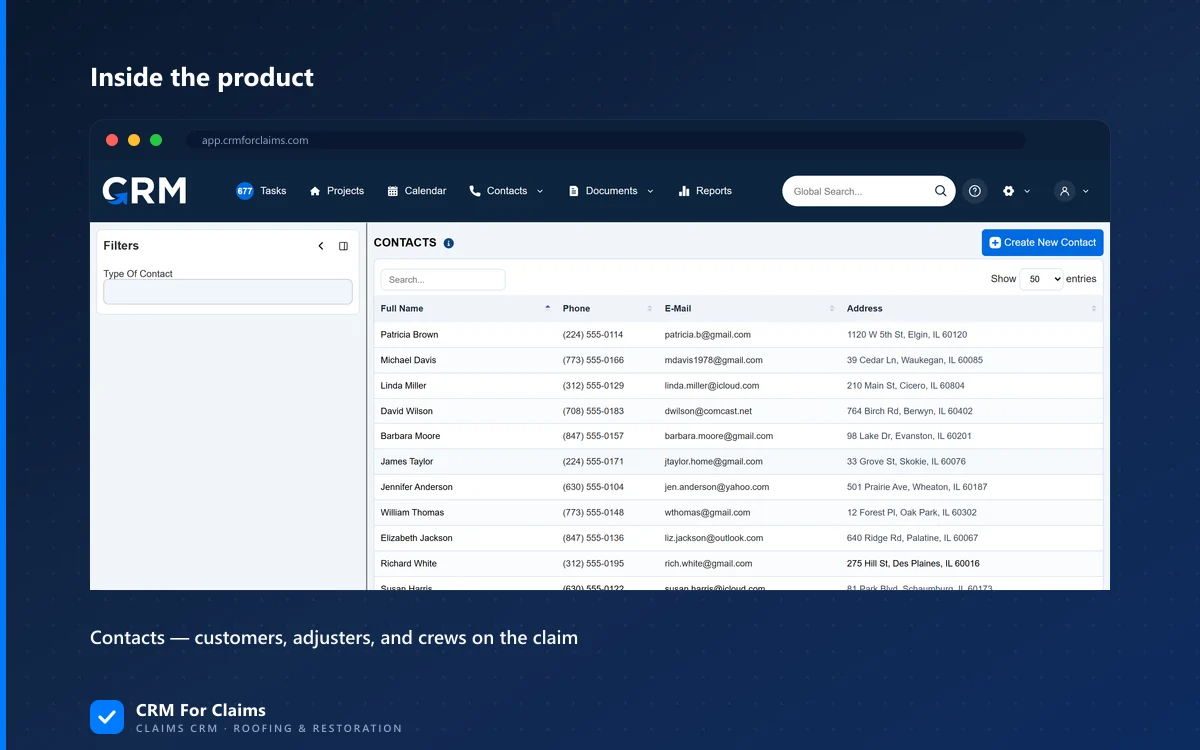
| 2 | Customers, adjusters, carriers | Multiple people need the current contact and claim tie, not a snapshot |
| 3 | Anything with a due date | Spreadsheets cannot chase a deadline; a CRM can trigger a task or reminder |
| 4 | Documents still in motion | A file waiting on a signature needs a status, not just a folder location |
Why can't you just migrate everything on day one?
Because a full migration on day one means every claim, every closed job, and every contact you have ever touched gets mapped and checked before anyone can use the new system — which turns a two-week switch into a two-month project that stalls before it starts.
The offices that make the move cleanly treat it as a cutover for open work, not a full data transplant. Everything active gets moved and verified. Everything closed gets exported as a reference and left alone. That is not corner-cutting — a closed claim from eighteen months ago does not need stage automation or live adjuster contact syncing. It needs to be findable if a question comes up later, and a CSV export or a read-only spreadsheet tab does that fine. Trying to perfectly re-platform historical data is where migrations die, and it buys you nothing operationally.
What should stay in a spreadsheet, at least for now?
Closed claims, one-off calculations, and anything you build fresh each time — like a quick materials estimate or a vendor price comparison — can stay in a spreadsheet. None of those need a live record other people are working from.
- Closed and paid claims — export them once as an archive; you rarely need them to do anything except be searchable.
- Ad-hoc math — a one-time materials takeoff or a scratch estimate before a bid is exactly what a spreadsheet is good at.
- Internal budgeting — overhead, payroll planning, and anything that is not tied to a specific claim can stay wherever your bookkeeping already lives.
- Anything you are not sure you will use again — a CRM works best when the data in it is data people actually touch; do not migrate clutter just to feel thorough.
This is also where an honest CRM For Claims sales conversation and a generic all-in-one CRM conversation diverge. A generic tool will happily sell you a module for budgeting, estimating, and five other things a spreadsheet already does fine — because more modules is the pitch. We would rather you keep those in the spreadsheet and put the CRM's claim pipeline and automation where they actually save time: on the claims that are still moving.
How do you migrate claim data without losing history?
Export your active claims and contacts to CSV, map the columns to the CRM's fields, import in a batch, and spot-check a handful of records against the original spreadsheet before you archive it. Keep the original file, untouched, for at least one full claim cycle after the switch.
A few things make this go smoother. Do the cutover during a slower week if your volume lets you choose — do not start a spreadsheet-to-CRM migration the same week a storm rolls through. Migrate contacts before claims, since claims reference contacts and an import that cannot find the right adjuster record just creates a duplicate. And do not delete or overwrite the old spreadsheet the day you go live — keep it as a read-only reference, because the first two weeks after a switch are exactly when someone asks "what did the old sheet say about this."
What actually breaks when a claims spreadsheet is pushed too far?
Version conflicts break first — two people editing the same sheet and one set of changes quietly overwriting the other. After that it is the missing audit trail: no record of who changed a status or when, which matters the moment a carrier disputes a timeline.
None of this shows up as a dramatic failure. It shows up as small, expensive friction: a follow-up that never happened because nobody owned that row, a duplicate adjuster contact because two people added the same person with slightly different spelling, a claim that looked "in progress" for three weeks because nobody updated the cell after the actual status changed on a phone call. Each one is minor. Multiplied across a full claim volume, they are the reason offices come looking for a CRM in the first place — not one big incident, just the slow tax of managing real-time work in a static file.
Is a partial migration a permanent state, or a phase?
It is a phase, not a compromise you live with forever. Most offices fully move their active pipeline within the first month and gradually stop touching the old spreadsheet altogether, once the habit of checking the CRM first replaces the habit of checking the sheet.
You will know you are through the transition when nobody opens the spreadsheet to answer "what's the status on this claim" anymore — they open the CRM, because that is where the current answer actually lives. If you want to see what that pipeline view looks like before you commit to a migration, our side-by-side comparison against generic CRMs and our plan breakdown are both built to be checked without a sales call. We covered the deeper "why niche beats generic" case in an earlier post on niche CRMs, and the concrete feature differences in insurance CRM vs. generic contractor CRM if you want the fuller picture before you move.
Moving off spreadsheets is not really a data problem — it is a decision about what deserves a live, shared record and what does not. Get the active claims and the people attached to them into the CRM first, leave the closed history and the one-off math where it is, and the rest of the migration takes care of itself. If you want a second set of eyes on your specific setup before you start moving anything, book a live walkthrough and we will look at your actual spreadsheet with you.