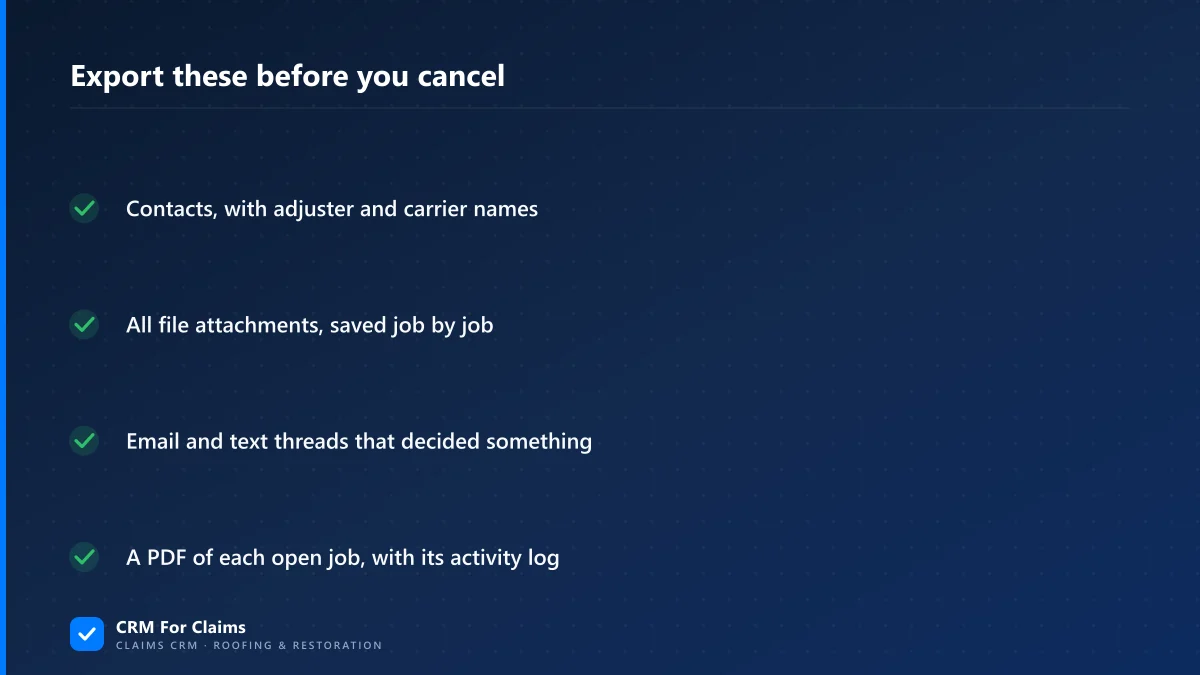
Short answer: A CRM migration rarely loses your history in one dramatic moment. It goes missing in pieces, because an export carries records and leaves the context behind — attachments, message threads, notes, the stage-change log. Pull those out before you cancel anything, import only the work that is still open, and keep the old account readable for a season.
I build CRM For Claims, which puts me on the receiving end of a lot of CRM migration work: somebody sends over a folder of CSV files exported from whatever they have used for the last three years and asks how much of it can come across. The honest answer is most of the records and far less of the history than anyone expects. Not because the export is broken. Because the thing people mean by "history" — who said what, which photo proved the decking was rotten, why a claim sat still for eleven days in March — mostly does not live in the fields that export.
We have written before about moving off spreadsheets and what to move first. This is the harder version of that job. A spreadsheet has no opinion about your data; a CRM does. It has already sorted your work into its own shapes, and those shapes are what you now have to translate.
What does losing your history in a CRM migration actually mean?
Records survive migrations. Context usually does not. An export gives you contacts, jobs and amounts as they stand today. What stays behind is everything that explains them: notes, email and text threads, file attachments, stage-change timestamps, and who touched the record. The explanation is the part you miss later.
That matters because nobody opens an old claim for fun. You go back into a closed file for three reasons, and all three arrive without warning: a homeowner disputes what was agreed, a carrier reopens something, or a roof you finished eighteen months ago starts leaking and the person who ran that job has since left. In each case the number in the deal record answers nothing. The thing that answers it is a message, a signed page, or a dated photo.
There is a flip side worth saying out loud, because it saves people a lot of money: history you have never once gone back to look at is not worth much to move. Most teams importing four years of dead leads are not protecting themselves. They are moving a mess into a clean building.
What actually exports from a generic CRM, and what does not?
Structured fields export well. Anything that behaves like a conversation or a file exports badly or not at all. Contacts, companies and deal records with their amounts come out in a CSV almost everywhere. Notes come out sometimes, flattened. Emails, texts and attachments almost never do, and they are the parts you would actually want in a dispute.
| What you are moving | In a standard export? | What it takes to keep it |
|---|---|---|
| Contacts and companies | Yes | Map the fields, then dedupe before import, not after |
| Job or deal records with amounts | Yes | Decide what each amount field actually meant first |
| Custom fields | Usually | Export the field definitions too — values without labels are noise |
| Notes on a record | Sometimes | Check whether the note dates and authors survived the flatten |
| Email and text threads | Rarely | Save the threads that decided something as PDFs, per job |
| File attachments | Almost never | Download them per record, into folders named after the job |
| Stage-change and activity log | Almost never | Print each open job to PDF as it looks on cutover day |
The last two lines are the ones that hurt, and they are also the ones with a deadline attached. Export access dies with the subscription. On most platforms a downgraded or cancelled account keeps your data visible for a while but puts the bulk export behind the plan you just left, so the sequence matters: get everything out first, then cancel. Doing it in the other order turns a housekeeping task into a support ticket with a stranger.
Why do the fields never line up?
Because a generic CRM models a sale and you run claims. A deal has one amount, one close date, one owner and a won-or-lost ending. A claim has several amounts alive at once — estimated, approved, supplemented, invoiced, paid — and it keeps moving long after the signature. Any mapping between those two shapes loses something, so decide consciously what it loses.
Before you map a single column, find out what each old field meant in practice rather than what it was named. This is the part teams skip, and it is where a clean-looking import turns into a year of wrong numbers. Fields drift: somebody renamed one in 2023, somebody else started using the tag list for two unrelated things, and the office manager has a rule in her head that nobody wrote down.
| Old field | What teams actually put in it | Where it belongs after the move |
|---|---|---|
| Deal value | Whichever number was known that week | Split: estimated amount and approved amount, separately |
| Close date | Sometimes signing, sometimes completion | The stage date it really was |
| Company | Sometimes the carrier, sometimes the homeowner | A contact type — carrier, adjuster, customer |
| Notes | Everything, in one column | Claim notes, adjuster conversation, internal to-dos |
| Tags | Stage, urgency and adjuster name at once | Stages, contact links and flags — three different things |
If that table looks familiar, it is the same machinery we described in the real cost of CRM workarounds. Every renamed field and overloaded tag was a workaround for structure the old tool did not have. The migration is the moment those workarounds finally have to be said out loud, which is uncomfortable for a day and useful forever. In a claims-first system the adjuster and the carrier are real contact types with their own records, so the "company" question stops being a judgement call — see the features page for what that structure looks like in practice.
How much history should you actually import?
Less than you think, in three tiers. Import the work that is still live and anything you could still invoice or argue about. Archive the rest as files rather than records — searchable, not clickable. Delete the noise on purpose instead of dragging it along, because everything you import you also have to search past for the next five years.
- Import as live records — every open claim at its current stage, every contact you may need to call again, and any closed job still inside its warranty window or waiting on a payment.
- Archive as files — closed claims from previous years. A folder per job with the documents, the PDF of the record and the message threads that mattered. It is not elegant. It answers the phone call you get in two years, which is the whole point.
- Leave behind — dead leads, duplicate contacts, test records, half-built automations and the tags nobody can explain. If nobody can say what a record is for, importing it does not make it clearer.
One caveat I will not dress up as advice: how long you have to keep claim documentation is a question for your carrier agreement and your attorney, not for a software vendor. Your retention obligations do not change because your software did. Ask what they are before you decide what "archive" means, then build the folders to match.
How do you cut over without a gap?
Pick a single date, not a transition week. From that morning, every new claim is created in the new system and nothing new is entered in the old one. Open claims move at the stage they are actually in. The old account goes read-only rather than cancelled, and it stays that way for a month or two while people find out what they still reach for.
The failure mode here is dual entry. A team told to "use the new one going forward but keep the old one updated too" will do both badly for three weeks and then quietly do neither, and you end up with two incomplete systems instead of one working one. Make one of them read-only in fact, not in principle — take the write permissions away if you can.
Do not rebuild the past inside the new system either. Loading an open claim at the stage it is in today, with its documents attached and its next task set, takes a couple of minutes. Recreating its whole timeline takes an hour and nobody ever reads it. Where the timeline genuinely matters — an active dispute, a supplement under review — attach the PDF you exported and move on.
Keeping the old subscription alive for a billing cycle or two is the cheapest insurance in the whole project. Weigh one month of a plan you are leaving against the chance of needing something you cannot get back, and it stops being a discussion. On our side the equivalent number is on the pricing page, so you can do that overlap math before you commit rather than after.
What should you check after the import?
Check counts first, then check depth. Record counts either match the export or they do not, and that is a number rather than a feeling. Then open ten real claims end to end — your five most valuable open ones and your five oldest — and confirm the amounts, the contacts and the attachments are all present and correct.
- Counts against the export file — contacts, open jobs, closed jobs. A short import usually means a validation rule silently rejected rows, and it never announces itself.
- Open three attachments. A file that migrated as a broken link is not migrated. It just looks migrated in a list view.
- Run a duplicate pass before anyone starts working. The same homeowner arriving once as a lead and once as a customer is the standard outcome of two exports merged, and it is far cheaper to fix on day one.
- Spot-check the money fields specifically. If the old "deal value" was sometimes the estimate and sometimes the approved amount, you now have a column that is right about half the time — and a claim's numbers are the ones you will quote to a carrier.
- Name one owner for the migration. Not a committee. One person who signs off that it is done, and who is allowed to say it is not.
Honest last word: if the generic CRM you have is genuinely working, none of this is worth doing. Migrations cost real days, and "it is a bit awkward" is not a reason to spend them — we say the same thing on our comparison page. The reason to move is structural: your claims keep needing a place the software does not have, and every workaround you built for that is one more thing that has to survive the next migration too. If that is where you are, bring your ugliest export and your worst open claim, and book a live walkthrough — I would rather show you what will not come across before you commit than after.