Short answer: Estimating software owns the priced scope — line items, measurements, depreciation math, the document you negotiate with the carrier. A claims CRM owns everything around it: what stage the job is at, who has the estimate, what was approved, what got invoiced, what got paid. Four numbers cross that line. Not many more should.
I build CRM For Claims, and roughly once a month someone asks whether it does estimating. It does not, and it is not going to. That answer usually lands better than people expect, because the person asking has already watched what happens when estimating software and a claims CRM try to be the same product: two half-systems, and a scope of work that reads slightly differently depending on which screen you open.
The confusing part is not the feature list. Both tools sit on the same claim and both are full of numbers with dollar signs in front of them. It gets easier the moment you stop asking what each tool can do and start asking what each one is the source of truth for.
Here is the test I use, and it has never failed me. If the answer changes because a price list changed, it belongs in the estimating tool. If it changes because a person did something — sent it, approved it, paid it, went quiet — it belongs in the CRM.
What does estimating software actually do?
It turns a damaged building into a priced, line-item scope of work in the format the carrier reads. Measurements, quantities, unit costs pulled from a regional price list, depreciation, overhead and profit, and the summary page carrying replacement cost, actual cash value and the deductible. That is a specialist job, and it is a deep one.
The important thing about that list is that almost none of it is yours to decide. Xactimate is the platform most carriers and independent adjusters work in on property claims, with Symbility a distant second, and you did not pick either one — the carrier did, years ago. The unit prices come from a regional price list on an update schedule nobody at your company controls. The structure of the summary page is the structure the desk adjuster is trained to read.
That is the whole reason estimating cannot be quietly absorbed into a CRM. The estimate is not just your internal maths; it is the language the negotiation happens in. Software that offered to replace it would be asking you to argue with a carrier in a format the carrier does not use, which is a fight you lose before it starts.
What does a claims CRM own instead?
Everything the estimate cannot answer. Which claim this is. What stage it is at. Who the adjuster is and whether they replied. When the estimate went out. What the homeowner has been told. Which version is current. What has been invoiced against the approved scope, and what has actually landed in the bank.
Sort the everyday questions in a restoration office by which system holds the real answer and the boundary draws itself:
| The question | System that owns the answer | Why it lives there |
|---|---|---|
| What is the priced scope of work? | Estimating software | The carrier negotiates in that document and that format |
| How much roof is actually there? | Measurement report or field measure | It is a fact about the property, not about the workflow |
| What was depreciated, and by how much? | Estimating software | Policy and price-list math, not something you retype |
| What stage is this claim at right now? | Claims CRM | It changes when a person acts, not when a price changes |
| Who was sent the estimate, and when? | Claims CRM | A sent date is an event, and events belong on a timeline |
| What has been invoiced and collected? | Claims CRM | Payment lands on the claim, never inside the estimate |
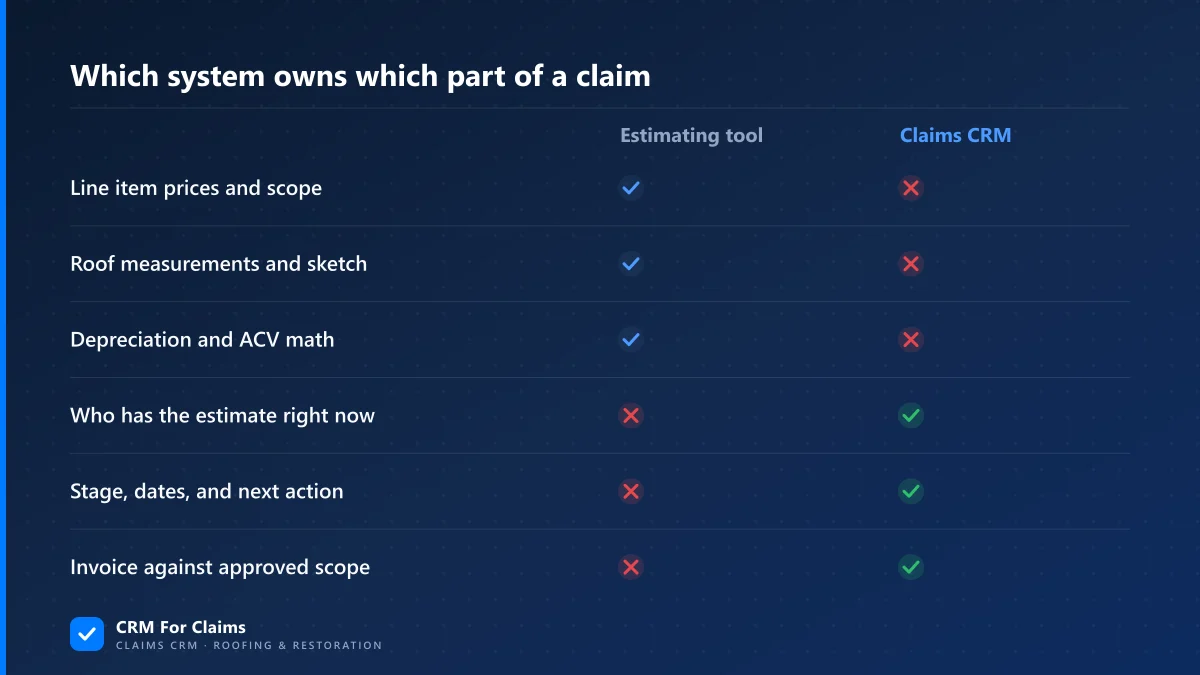
Underneath the table there is a structural difference worth naming. An estimate is a document with versions. A claim is a sequence of events. A tool built to hold versions of a priced document is genuinely bad at holding a timeline of who did what, and the reverse is just as true — which is why the overlap people imagine between the two systems is much smaller than it looks. If you want the specifics of what sits on the claim record itself, that is what a claims CRM holds on each job.
Which numbers should cross from the estimate into the CRM?
Four, for most shops. The approved replacement cost total. The actual cash value figure with the depreciation held back. The deductible. And the dates — sent, approved, supplement filed. Everything else can stay inside the estimate document, where it stays correct without a single person maintaining it.
- Approved total (replacement cost) — the ceiling on what you can bill for this job. Every invoice gets measured against it, which is the entire argument for invoicing against the approved scope rather than against what you feel the work was worth.
- Actual cash value and withheld depreciation — this sets the payment schedule, not the price. One approved estimate routinely becomes three separate payments: the ACV release, the deductible, and the recoverable depreciation after completion. A CRM that holds only one total cannot tell you which of the three you are waiting on.
- The deductible — the one number on that estimate the homeowner personally owes you. Whoever collects money has to be able to see it without opening a PDF.
- The dates — sent, approved, supplement filed. These are not admin trivia. They are the only fields that let you notice a claim has been sitting for eleven days with nobody waiting on you.
There is a defensible fifth: the handful of line items you are actively disputing or supplementing. Not the whole scope — just the four or five you are chasing, so anyone covering the file knows what the open argument is. That pairs with how supplements and approvals get tracked as their own money events rather than as edits to a number.
Why does re-typing the estimate into your CRM go wrong?
Because you have just agreed to maintain the same scope in two places, and only one of them is the document a carrier will honour. Every supplement, price correction and approved change now has to be entered twice. The copy that is never quite current is always the CRM one, and within a couple of months people quietly stop trusting it.
- The duplicate scope — forty line items typed into CRM fields so the office can "see the job". The first supplement lands and the two versions disagree. From then on every conversation starts by establishing which screen is right, which costs more time than the typing ever saved.
- Invoicing off the replacement cost total — billing the full approved figure when the carrier has released only actual cash value. The homeowner gets an invoice for money nobody has received yet, and you spend a phone call explaining depreciation to someone who did not ask for a lesson.
- Treating an approved estimate as final — approvals reopen, routinely. If the CRM holds a typed snapshot from the day of approval, a supplement approved six weeks later silently makes your recorded total wrong, and nothing in the system objects.
What works instead is dull and reliable: attach the document, hold the four numbers as fields, and re-check those four fields at exactly one moment — when a supplement is approved. One place, one trigger, one person responsible. That is a rule you can actually keep.
Where should the estimate document itself live?
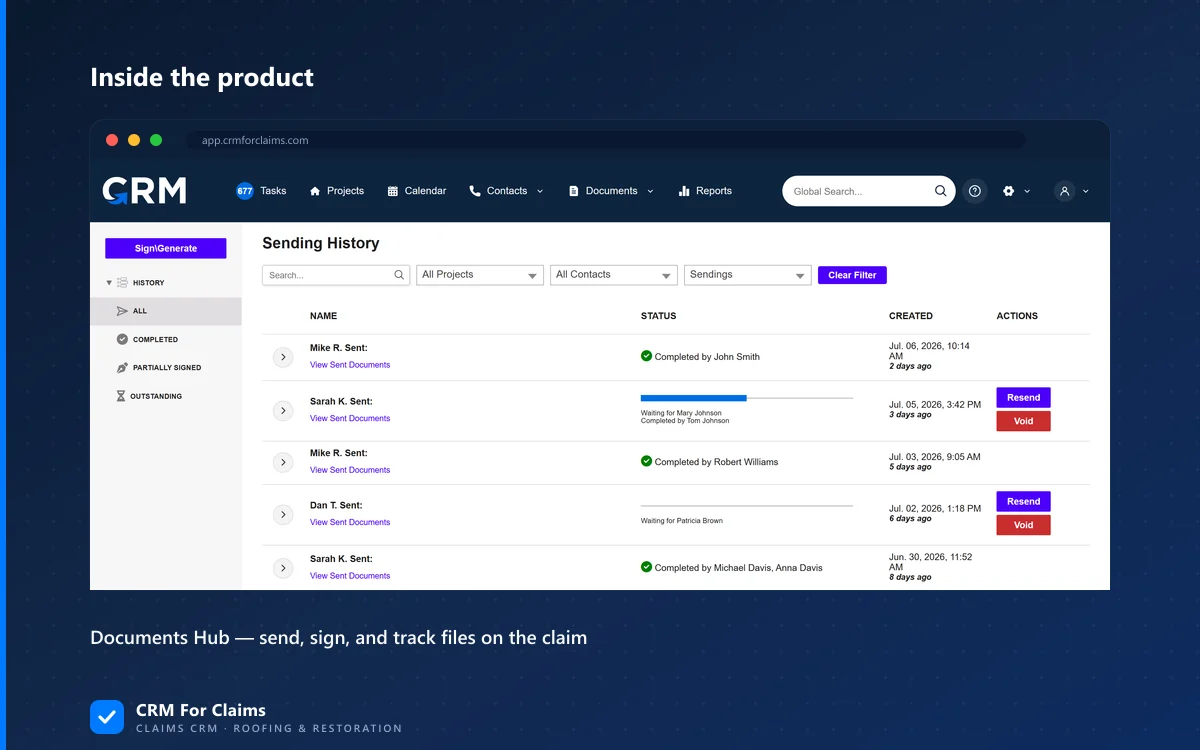
On the claim, in the CRM, with an obvious current version. Not buried in an email thread, not on the estimator's desktop, and not only in the estimating platform's cloud where the crew lead has no login. The people who need to read an estimate are usually not the people who wrote it.
Count who opens that file over the life of a job. The production manager scheduling to the approved scope. The crew lead checking whether decking was included before the tear-off. The office collecting the deductible. Whoever covers the file the week the estimator is on holiday. None of them wrote it, and none of them should have to ask the person who did.
Version naming matters more here than anywhere else in the system, because the failure is silent — nobody ever reports reading the wrong version, they just build to it. Date plus what it is, every time: 2026-08-18 carrier estimate, 2026-09-02 supplement 1 approved. Whatever you choose, the rule is that the current one must be identifiable by someone who has never seen the file before.
One caution that catches people out. A carrier estimate summarises replacement cost, depreciation, deductible and the net claim on a single page, so anyone who can open that document has effectively seen the settlement, whatever your field permissions say. Document access is a money permission. Decide it deliberately rather than discovering it later.
What about measurements, accounting, and the rest of the stack?
Measurement reports are an input to the estimate, so they live with the estimate and get attached to the claim. Accounting stays accounting — the CRM should tell you what a claim invoiced and collected, not replace your books. Production scheduling is the one piece that genuinely does belong in the CRM, by the same test as everything else.
Measurements. An aerial or photo-based measurement report is ordered per property and feeds the estimate. Attach the PDF to the claim so the crew can open it, and resist retyping the squares into a CRM field. The report is the source, and a typed copy of it stops matching the moment a revised report is ordered.
Accounting. Two different questions, two different systems. "What did this job invoice and collect?" is a claim-level question and belongs on the claim. "What did the company earn last quarter, and what do we owe in tax?" is a company-level question and belongs in your accounting package. CRM For Claims does invoicing and online payments, with card details handled by Stripe rather than sitting on our servers — it is not a general ledger and does not pretend to be. Export and reconcile; do not try to merge them.
Production and scheduling. This one passes the test cleanly. A start date moves because a person moved it, a crew is assigned because someone assigned them, and both change the stage of the claim. That is CRM work, and splitting it into a separate calendar is how start dates end up promised in three places.
Contacts. Adjusters, carriers and homeowners belong in the CRM as contact records on the claim, not as software seats — which is why they cost nothing under per-user pricing. Only actual team members occupy seats.
When is a claims CRM not worth adding at all?
If you run a handful of claims a year alongside mostly retail work, and one person touches every job from inspection to final payment, the estimating platform plus a shared folder genuinely is enough. I would rather say that than sell you a second system to keep tidy.
What crosses the threshold is the second person, not the claim count. The day someone has to answer a homeowner's question about a job they did not write, the estimate stops being sufficient — not because it is missing detail, but because it never contained the answer. "What did we tell them on the ninth?" is not in any estimate ever produced. That question is the whole reason the second system exists, and it is the same reason a claims-shaped CRM beats a general one, which is laid out in the side-by-side comparison of a claims CRM against a generic CRM.
So: keep your estimating software. It is doing a job no CRM should try to take over, in a format your carriers already accept. Put the document, the four numbers, the dates and the people around it — and let each system be the source of truth for the thing it is actually good at. If you want to see where that boundary sits in practice, book a live walkthrough and bring a real claim with a supplement on it. Those are the ones that show the seams.