Short answer: Stage automation means the CRM itself creates a task, sends an SMS, or fires an email the moment a claim moves to a new stage — instead of a person remembering to do it. In a restoration claim that usually means the inspection task, the adjuster follow-up, and the documents request all firing on their own the second a stage changes.
I build CRM For Claims, and "automation" is one of those words that gets used so loosely in software marketing that it stops meaning anything. Every CRM claims it. Most of what they actually ship is a reminder email you can turn on in settings, or a Zapier connector you have to wire up yourself before it does a single useful thing. For a restoration or roofing claim moving through intake, inspection, adjuster review, work, and payment, stage automation should mean something much narrower and much more useful: the CRM watches the claim's stage and reacts to it, without a person having to remember to trigger anything.
What actually counts as stage automation, versus a plain reminder?
A plain reminder is a task someone set manually that pings at a fixed time. Stage automation is a rule tied to the stage itself — when a claim moves from "Inspection Scheduled" to "Inspection Complete," the system creates the next task, sends the next message, or updates the next field automatically, with no one having to open the record and do it by hand.
The difference matters because reminders decay. Someone sets a follow-up task for Thursday, Thursday gets busy, the task slides to Friday, then it slides off the list entirely once three more claims come in behind it. A stage-triggered action doesn't depend on anyone remembering — it fires because the claim's status changed, and the status changing is the one thing that's already guaranteed to happen because it's how the work actually moves forward.
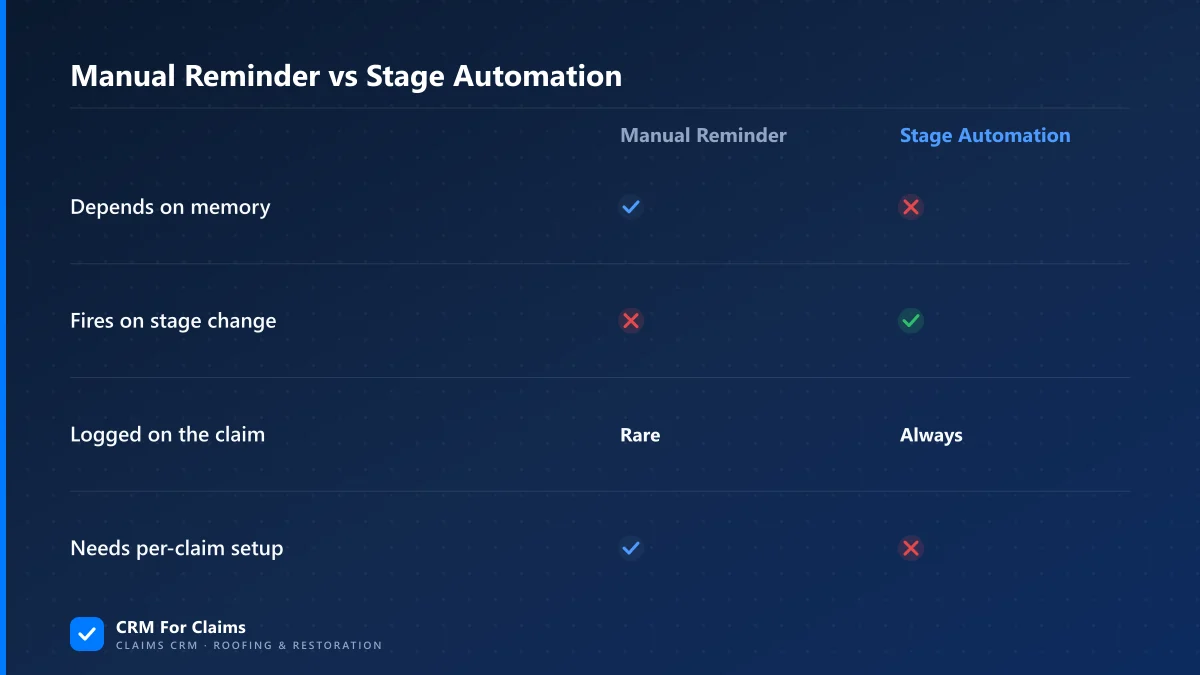
| Trigger type | Manual reminder | Stage automation |
|---|---|---|
| Depends on | Someone remembering to set it | The claim's stage actually changing |
| Survives a busy week | Rare | Yes — it fires regardless of workload |
| Shows up on the claim | Sometimes, if logged manually | Always, as part of the claim history |
| Needs setup per claim | Yes, every time | No — set the rule once per stage |
Which claim stages actually benefit from automation?
The stages worth automating are the ones with a predictable next step: after intake, after the inspection is booked, after the inspection is done, after the adjuster is assigned, and after documents go out for signature. Anything with a single obvious next action is a good candidate; anything genuinely judgment-based is not.
Take the moment a claim is created from an intake form. The predictable next step is almost always "book an inspection" — so the system can auto-create that task and assign it, with no one deciding whether it's needed. Compare that to the moment an adjuster comes back with a lowball estimate. What happens next depends on the damage, the policy, the relationship with that adjuster — a person has to decide, so that step should never be automated away. Good stage automation in a claims pipeline knows the difference between "this always happens next" and "this needs a human to look at it first."
What should fire automatically when a claim moves stages?
Three things are worth automating on almost every stage change: a task for whoever owns the next step, a status update the customer can see if there's a portal, and a log entry showing exactly when the stage changed and what fired because of it. Anything beyond that should be a deliberate choice, not a default.
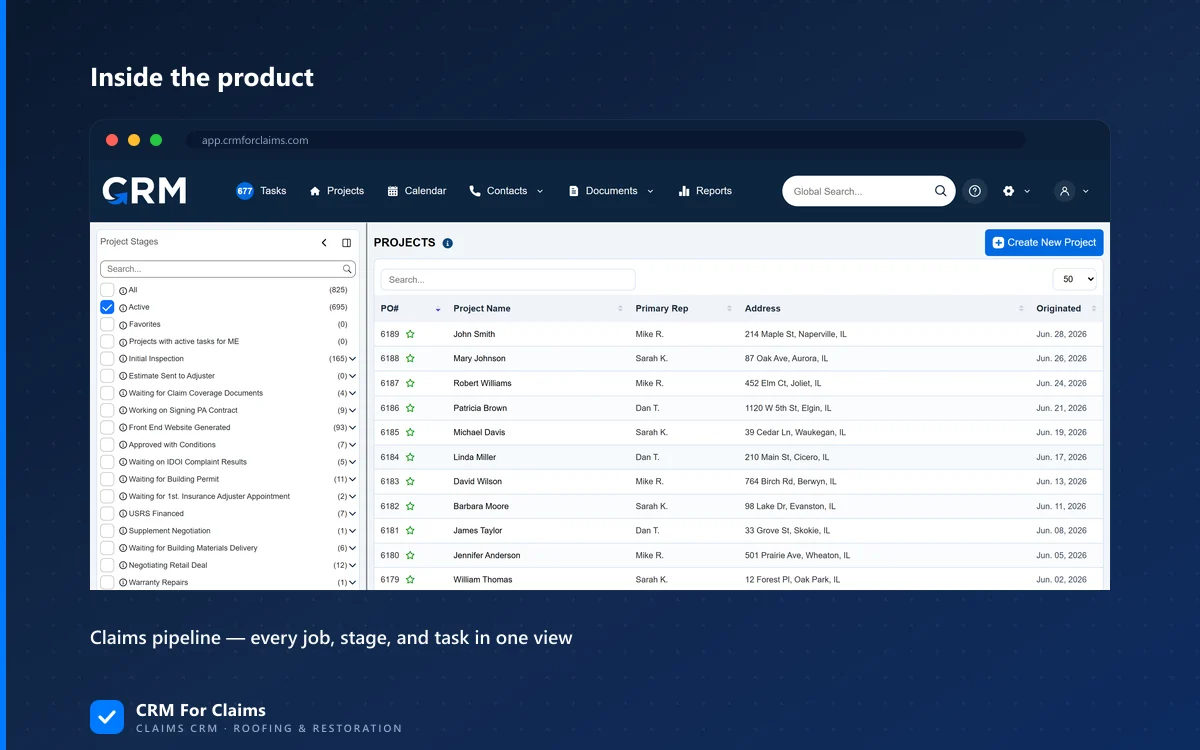
SMS and email deserve a specific mention because they're where generic CRMs fall down hardest. A general contractor CRM can send a mass email blast to a marketing list. It usually cannot send "your inspection is confirmed for Thursday at 10am" the moment a claim's stage flips to Inspection Scheduled, using the actual date on that actual claim, and log that message against that specific record so it's still there if someone asks about it in three months. That's not a bigger feature — it's a completely different kind of automation, built around one claim instead of one broadcast list.
Where does stage automation go wrong?
It goes wrong in two directions: automating a step that actually needs judgment, and automating so much that the claim's history becomes noise. Both mistakes come from treating automation as a feature to maximize instead of a tool to apply carefully.
- Automating judgment calls — auto-sending a settlement acceptance email the moment an adjuster's estimate comes in removes the one step where a human should check the number against the actual damage first.
- Over-automating notifications — five auto-emails for five minor internal status flips buries the one message the customer actually needed to read, which is bad for them and bad for how the office looks.
- No visibility into what fired — automation that runs silently, with no log of what triggered and when, is impossible to debug when a customer says they never got a message and you have no way to check if it actually sent.
The fix for all three is the same: automation should be visible, not invisible. Every automated task or message should show up on the claim record exactly like a manual one would, so anyone looking at that claim later can tell what happened and why — this is what separates a claims pipeline (see our breakdown of what actually differs between an insurance claim CRM and a generic contractor CRM) from a system that just fires webhooks into the void.
Do I need custom development to set this up, or does it come built in?
In a claims-first CRM, stage automation should come attached to the pipeline itself, not require custom development or a separate automation platform. You pick the stages, attach the task or message to each one, and it runs — no Zapier account, no developer, no per-claim setup.
That's the practical test worth applying in a demo: ask the vendor to show you a task or a message firing automatically the moment a claim's stage changes, using a real stage from your own process — not a generic "deal won" trigger borrowed from sales software. If they can't demo it live, in front of you, on a stage you name, it's not really built in. See our features page for exactly which stage triggers ship out of the box, or compare the automation depth across options on our CRM comparison page.
Is stage automation worth it for a small team running only a few claims a month?
Yes, even at low volume, because the value isn't speed — it's consistency. A small team without automation is relying entirely on memory, and the cost of one missed follow-up is proportionally higher when every claim matters and there's no one else to catch the slip.
A one- or two-person office can absolutely run claims well by memory when volume is low. The problem isn't today's five claims — it's the week volume spikes, someone's out sick, or a claim needs to sit for three weeks waiting on an adjuster and gets buried under newer ones. Stage automation is the thing that keeps working exactly the same whether you're tracking three claims or thirty, which is exactly when a manual process starts to crack.
If you're weighing whether your current setup — spreadsheet or otherwise — is costing you these follow-ups without you noticing, our guide to what to move off spreadsheets first walks through the same tradeoff from the migration side. And if you want to see stage automation running against a real claim pipeline instead of reading about it, our team can walk you through it — book a live walkthrough and bring a real stage from your own process to test it against. Pricing for the automation-enabled plans is on our pricing page.