Short answer: A claim file name has to answer four questions on its own — when, which claim, what kind of document, and whose it is. Put them in a fixed order, take the document type from a short closed list, write the date as YYYY-MM-DD so it sorts, and keep the whole thing short. Everything else is decoration.
I build CRM For Claims, and the fastest way to test your claim file naming conventions is to get sick. Not badly — one Tuesday. Somebody else has to open the folder for 412 Oakmont, find the estimate the carrier actually approved, and tell an adjuster on the phone which version it was. If they can do that without calling you, the convention works. If they call you, it never worked. It just had you in it.
Names decay for a structural reason, not a discipline one. A file name gets written at the moment of maximum context — you just made the thing, you know exactly what it is — and gets read at the moment of minimum context, by a different person, months later, usually mid-argument. Every convention that fails, fails across that gap. This is a separate question from where documents live and how they get signed, which I wrote about in handling insurance paperwork without email chaos. Naming matters even if everything you own sits in one shared drive.
What should a claim document file name actually contain?
Four fields in a fixed order: the date as YYYY-MM-DD, the claim identity, the document type taken from a closed list, and the party the document came from. Add a version number only where versions genuinely exist. Four fields identify almost any file on a claim without opening it, and a fifth rarely earns its characters.
| Field | What it answers | Example | Leave it out when |
|---|---|---|---|
| Date — YYYY-MM-DD | When this document became true | 2026-03-14 | Never. It is the cheapest field and the only one that sorts. |
| Claim identity | Which job, once the file has left its folder | 412-Oakmont | Never, for the same reason. See the folder argument below. |
| Document type | What kind of thing this is | Estimate | Never — but it must come from a fixed list, not your head. |
| Party | Whose document it is | Ours / Carrier | When only one party ever produces that type — invoices, signed contracts. |
| Version | Which revision, and whether it is the current one | v2 | When the document type is issued once and never revised. |
The party field is the one people leave out, and it is the one that costs money. On claim work, “estimate” is two entirely different documents: the one you wrote and the one the carrier wrote. They cover the same roof, they disagree by a few thousand dollars, and they are both PDFs. When both are called Estimate.pdf in the same folder, somebody eventually invoices from the wrong one, or quotes your number back to an adjuster as though it were theirs. One word in a file name prevents an entire category of expensive conversation.
The date format earns its place the same way. Windows, macOS and every shared drive sort file names as text, character by character, so 2026-03-14 sorts correctly forever while 3-14-26 files March next to March of every other year. Written the sortable way, the folder puts itself in the order events happened, which is exactly the order anyone reconstructing a claim needs.
Put together, one claim looks like this:
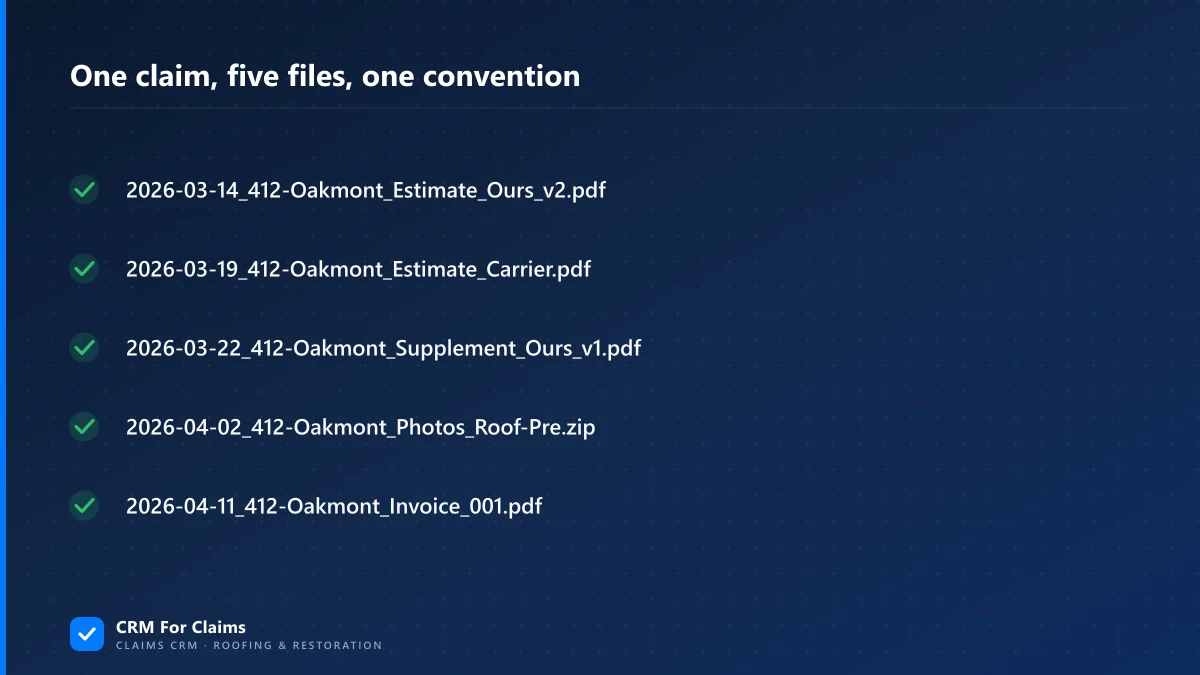
You can read the whole history of that job off the file names without opening a single one. That is the entire test.
Why do naming conventions break when a second person joins?
Because a convention that lives in one person’s head is not a convention, it is a habit. Two people produce two vocabularies for the same document. One writes Estimate, the other writes Est, then Scope, then the name of whatever software produced it. Nothing is wrong. Nothing is findable either.
This is a solved problem outside our industry, and the language records professionals use for it is worth borrowing. The National Archives’ Bulletin 2015-04 on metadata for permanent electronic records defines the minimum set of information that has to travel with a file, and describes metadata plainly as elements that answer “who, what, where, when, and why” about a record. It also names the fix for vocabulary drift directly: controlled vocabularies, which it describes as “carefully defined and standardized sets of terms” for data entry. A closed list of document types is a controlled vocabulary for a roofing office. Ten or twelve entries is plenty.
| How it fails | What it looks like in the folder | The fix |
|---|---|---|
| Open vocabulary | Estimate, Est, Scope, Xact — four names, one document type | A written list of ~10 types. Anything not on the list goes in as Other and gets discussed. |
| Version soup | Estimate_FINAL_v2_actualfinal.pdf | v1, v2, v3. Never the word final. The highest number is current, always. |
| Camera and scanner defaults | IMG_4471.jpg, scan0043.pdf | Rename scans on arrival; name photo sets rather than photos. |
| Names that depend on their folder | Smith.pdf, sitting inside a folder called Smith | Repeat the claim identity in the name. The folder does not travel with the file. |
Notice that none of these are carelessness. Every one of them is a reasonable person naming a file sensibly for themselves. That is why “be more careful” has never fixed a filing system and never will. The list has to exist somewhere other than in the most organised person’s head, or it does not exist.
Should the claim identity go in the folder or the file name?
Both. The folder answers “which claim” while the file is sitting still. The name has to answer it while the file is moving. Files leave their folders constantly — attached to an email, uploaded to a carrier portal, saved to somebody’s phone, dropped into a text thread. The moment a file is attached, the folder is gone and the name is all that is left.
This is the part people argue with, because repeating the address in the folder and in the name looks redundant. The redundancy is the whole point: it is the only part of your filing system that survives transport. It also means the file name is the one piece of your internal process a stranger ever reads. An adjuster with sixty open claims receives scan0043.pdf from you and 2026-03-22_412-Oakmont_Supplement_v1.pdf from somebody else. Only one of those tells them what it is before they open it, and only one of them is still findable in their inbox in April.
Two practical limits on how far to take this. First, address or claim number: crews, subs and homeowners all know the address, and nobody in the field has ever known the carrier’s claim number by heart, so lead with the address and carry the claim number in the record rather than in every file name. If the same address is hit by two different storms, the date field already separates them. Second, keep names short. Windows has long capped a full path at 260 characters — see Microsoft’s maximum path length documentation — and a long descriptive name inside a deep synced folder is how you get a file that opens fine on your machine and refuses to open on somebody else’s. Keep it to four short fields rather than a descriptive sentence.
How should photos on a claim be named?
Do not name photos individually. Name the set. Two hundred inspection photos with meaningful individual names is a job nobody does twice, which means it will be done once, on the first claim, and never again. One folder or one archive per set, named by date, address and what the set shows, with the camera names left alone inside it.
There is a real reason to leave the camera names alone rather than laziness. IMG_4471 through IMG_4673 preserves the order the photos were taken in, and on a moisture reading or a tarp-then-teardown sequence, that order is frequently the only evidence of sequence you have. Renaming destroys it for no gain. What the set needs is a boundary and a label: 2026-04-02_412-Oakmont_Photos_Roof-Pre and, three weeks later, 2026-04-24_412-Oakmont_Photos_Roof-Post. Pre and post are the two words that make photos usable to somebody who was not on the roof. What actually belongs in each set is a separate question, and I covered it in what to shoot on a claim and where it has to live.
What changes when documents live in a CRM instead of a folder?
The name stops being the index. When the claim, the document type, the date, the party and the version are all fields on a record, you search instead of scanning, and a dropdown cannot be misspelled. What a system does not do is make the convention unnecessary. It moves it to the edge — to whatever leaves the building as an attachment.
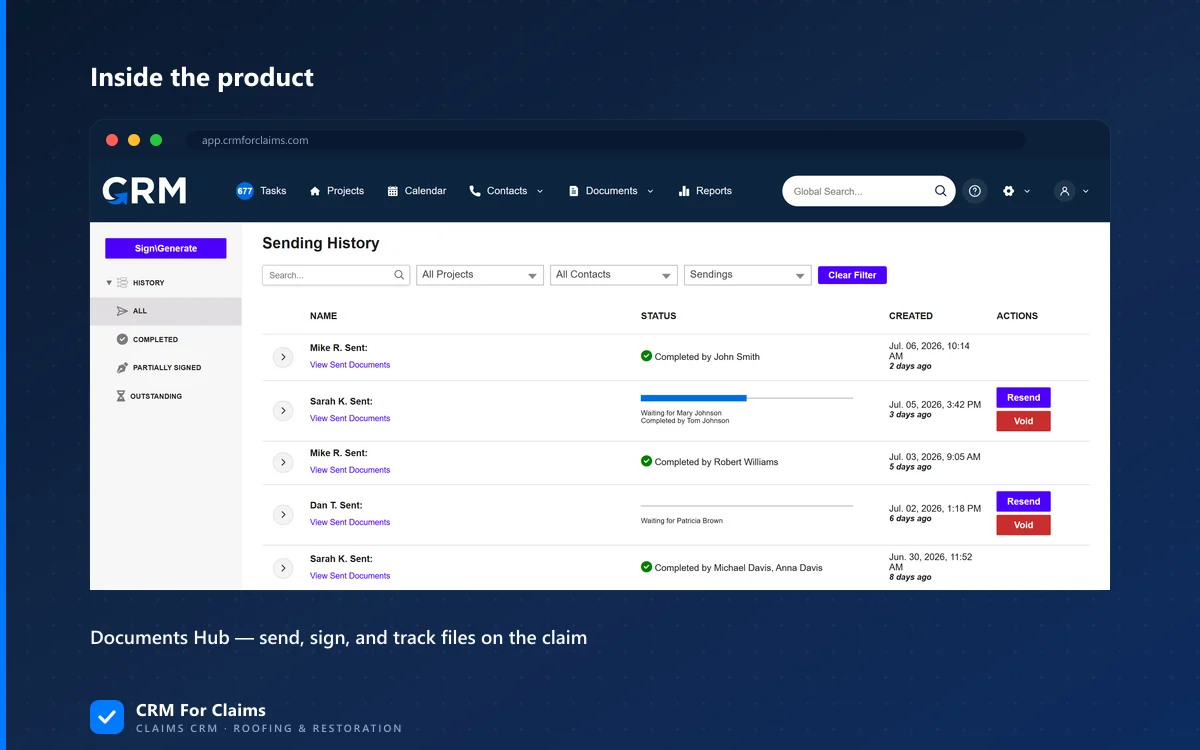
Worth being precise about which problems this actually solves, because the honest list is shorter than the sales version:
- Vocabulary drift stops. Document type becomes a selection, not a typed word. This is the single biggest win and it is entirely because of the closed list, not because of the software.
- A file cannot land in the wrong claim. It is attached to a record, not placed in a directory that sits alphabetically next to a similar address.
- “Which one did they approve?” becomes answerable. Version and status are properties of the document rather than a promise made by the word final.
- The name no longer has to carry the audit trail. Who sent it, when, and whether it was signed are recorded as events, so the file name can stay short.
- What it does not solve: the outbound name. When you email an adjuster, they receive a file, not your record. A system that generates the outbound name from the fields is the only version of this that holds; one that emails
document_88213.pdfhas simply moved the mess into somebody else’s inbox.
That last point is worth asking about in any demo, whoever you are looking at. It is the kind of small thing a claims-first tool tends to get right because it was built for people who send documents to carriers all day — you can see how we handle document types, versions and sending on the CRM For Claims features page, and how that differs from bending a general-purpose tool into shape on our comparison page.
Do you have to rename everything you already have?
No, and you should not try. Pick a date, apply the convention to everything created from that day forward, and leave closed claims exactly as they are. Retroactive renaming breaks links in emails people have already sent, breaks whatever shortcuts your team has made, and buys you tidiness on files nobody is going to open again.
The exception is claims that are still open and still moving. Those get renamed once, in one sitting, because they are the files a second person will actually need. In practice that is a short list — the jobs in production and the ones waiting on an adjuster. That is an hour of work, not a project. If a job is currently being handed between people, do the rename as part of the handoff rather than as a separate task; there is more on getting that handoff right in reassigning a claim mid-job.
When is a naming convention not worth the trouble?
When you are one person, doing twenty jobs a year, and you are genuinely the only human who will ever open that folder. The convention is in your head, it works, and writing it down is admin for its own sake. I would rather say that than pretend every operation needs a filing standard.
The catch is that the second person is almost never the planned one. It is not the hire you interview in March. It is the sick Tuesday, the sub who writes your supplements when you are buried, the attorney’s records request eighteen months later, or you at a warranty callback in year three, looking at your own folder with no memory of which estimate was the approved one. Those are the moments the convention is actually for, and none of them give notice. If you are at the point where more than one person touches a claim, our plans and per-user pricing are published openly for exactly that stage.
None of this needs software to start. Write the list of document types on one page, agree the field order, and use it on the next file you save. If you then want to see what it looks like when those fields live on the claim instead of in the name — and what your team would actually stop typing — book a live walkthrough and bring a job you are running now. We will set it up against your real document types rather than a demo set that was always going to look tidy.