Short answer: Per-user pricing means your bill has two parts — a base subscription for the company account, plus a flat monthly fee for every extra login. On CRM For Claims that is $59 or $99 a month including the first admin user, then $39 per additional user. The number that really decides your bill is how many people genuinely need a login.
Per-user pricing is the line on a pricing page everyone skims and nobody models. You look at the big number, decide $99 a month is fine, sign up — and then hire an estimator, bring on an office manager, and wonder why the invoice grew by eighty dollars. Nothing shady happened. You just never did the arithmetic for the team you were about to become.
I build CRM For Claims, so I have an obvious interest here. What I do not have an interest in is you being surprised by an invoice, because surprised customers cancel. So: what a "user" actually is, what the bill looks like at two, five and twelve people, who on a claim never needs a seat, and what happens to the money when somebody joins or leaves mid-month.
What does per-user pricing actually mean?
It means the monthly bill splits in two: a base plan that covers the company account and one admin login, and a flat per-seat fee for everyone else who needs their own login. The base pays for the system being there. The seats pay for the people using it. Nothing else in the pricing moves as you grow.
The word doing the heavy lifting is user. A user is a login — a named person with a password and their own permissions. It is not "anyone who appears in the system." That distinction is the single biggest thing people get wrong when they estimate what a CRM will cost, and it usually costs them in the wrong direction: they price out a seat for every customer, adjuster and subcontractor on a claim, decide the software is unaffordable, and go back to the group text.
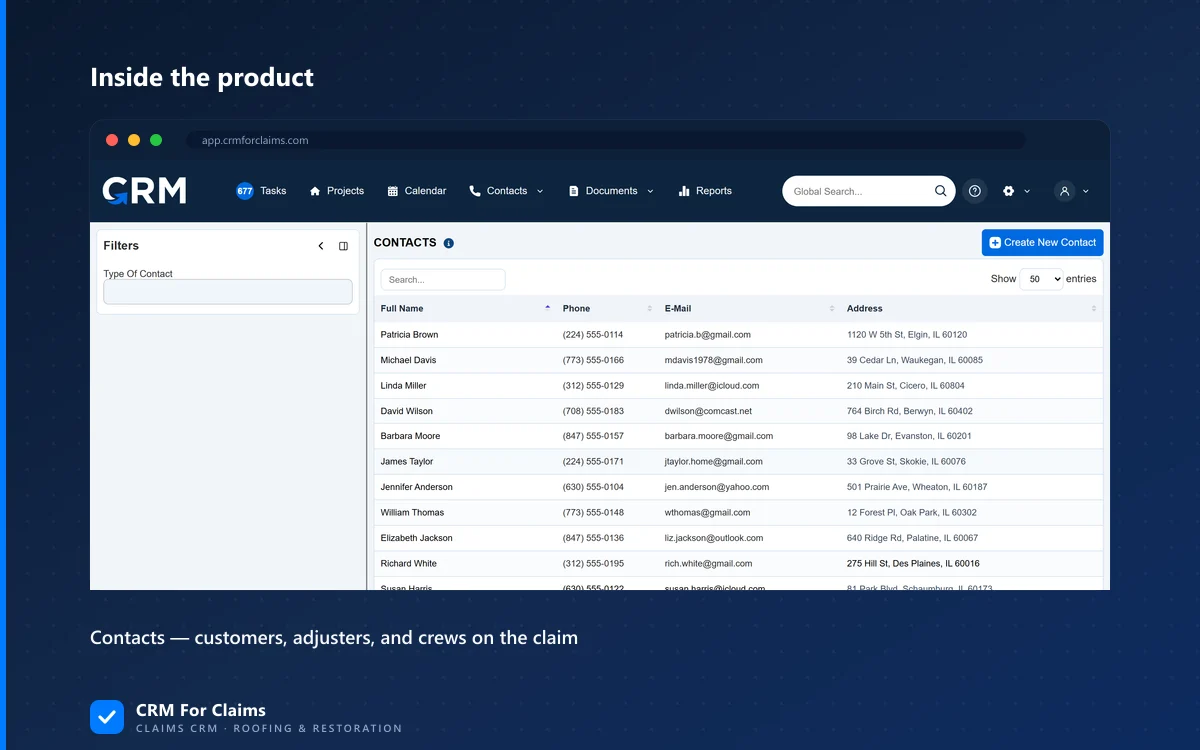
On a normal restoration claim there might be nine or ten people involved, and two or three of them work for you. The rest — homeowner, desk adjuster, field adjuster, carrier rep, the crew lead from the roofing sub — are contacts. Contacts are records, not logins, and records do not cost anything per month.
What does a claims CRM cost as the team grows?
On CRM For Claims the arithmetic is base plus $39 for each user after the first. Essentials starts at $59, Professional at $99, and the per-user rate is the same $39 on both. Five people on Professional is $255 a month. Twelve is $528. No tier jumps, no seat minimums, no annual commitment — the price moves when your headcount moves.
| People with a login | Essentials ($59 base) | Professional ($99 base) |
|---|---|---|
| 1 — just you | $59/mo | $99/mo |
| 2 — you and an office manager | $98/mo | $138/mo |
| 3 — plus an estimator | $137/mo | $177/mo |
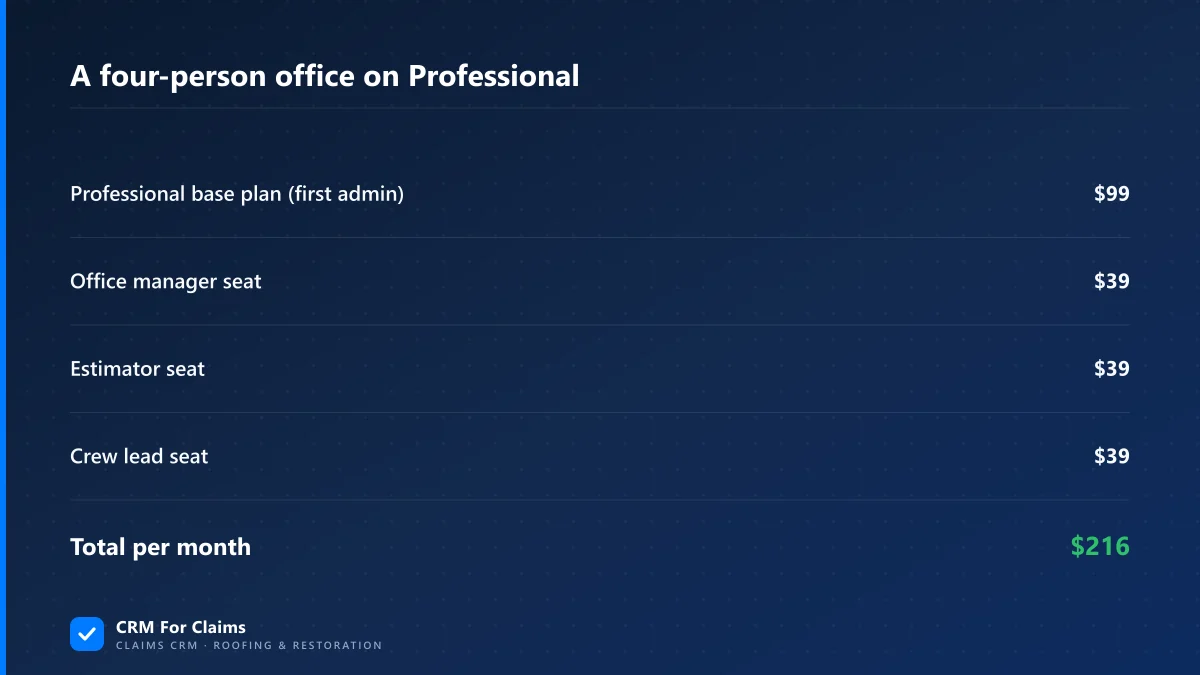
| 4 — plus a crew lead who uploads photos | $176/mo | $216/mo |
| 5 — small office and field team | $215/mo | $255/mo |
| 8 | $332/mo | $372/mo |
| 12 | $488/mo | $528/mo |
Two things are worth noticing in that table. The first is that the gap between the plans never widens — it is a flat $40 whether you are two people or twelve, because the difference is the plan's features, not a per-head surcharge. What Professional adds is stage automation with SMS, e-signatures and the Documents Hub, the customer portal, and invoicing with online payments; the full split is on the pricing page.
The second is that the base price stops mattering surprisingly fast. At two users the plan is most of your bill. At eight, seats are two-thirds of it, and the $40 you agonised over is rounding. If you are trying to decide between plans, decide on the features, not on the $40 — the seats will out-vote it by month three.
Past roughly fifteen users the flat per-seat model stops being the right instrument, which is why Enterprise is quoted rather than listed. A twenty-person operation usually has warehouse staff, part-time admin help and multiple crews with genuinely different access needs, and pricing all of them at one rate is either unfair to you or unsustainable for us.
Who actually needs a login, and who does not?
Anyone who has to open the system and do something needs a seat. Anyone who only needs to be contacted, sent a document, or shown a status does not. Customers use the portal, adjusters and carriers live as contact records, and most subcontractors need a text message rather than a login. That usually cuts the seat count people expect in half.
| Person on the claim | Paid seat? | Why |
|---|---|---|
| Office manager / claim coordinator | Yes | Lives in the pipeline all day, moves stages, sends documents |
| Estimator or project manager | Yes | Needs the claim on a phone in the field, uploads photos, updates scope |
| Second admin or bookkeeper doing invoicing | Yes | Creates invoices and takes payments inside the system |
| Homeowner or property owner | No | Sees their own claim through the customer portal, not a staff login |
| Desk or field adjuster | No | A contact record on the claim — you email and text them, they never log in |
| Carrier or public adjuster | No | Same — a tracked contact, with the correspondence logged on the claim |
| Subcontractor crew | Usually no | If they only need to know when and where, a task and a text is enough |
| Crew lead who uploads their own photos | Yes | They are entering data, so they need their own name on it |
The one that trips people up is the crew. The honest test is whether they are reading or writing. A crew that needs to know Tuesday, 9am, 14 Oak Street is handled with an assigned task and an automated text — no seat. A crew lead who photographs the finished work and marks the job done is entering data that has to be attributed to somebody. Sharing one "crew" account between five people is a false economy: you save $39 and lose the ability to answer who did what.
Adjusters are worth being explicit about, because people do ask whether tracking one means paying for them. It does not — adjusters are contacts with their own claim history, and contact records are unlimited on every plan. Why that history matters is a separate subject: keeping adjuster conversations on the claim instead of in an inbox.
What happens when someone joins or leaves mid-month?
Adding a user charges that seat immediately, prorated to the end of the current billing period, and the account is only created if the charge actually goes through. Deactivating a user releases the seat and the credit appears on your next invoice. So a six-week seasonal hire costs you roughly six weeks of a seat, not two full months.
Proration is standard billing behaviour rather than anything clever — Stripe, which handles our billing, documents how prorations are calculated if you want the mechanics. What matters practically is that it works in both directions. Vendors who prorate the addition but not the removal are quietly charging you for empty desks.
The failure case is worth knowing too, because it is where a lot of software behaves badly. If the card declines when you add a user, nothing is created — the seat count goes back to where it was, the proration invoice is voided, and you see the bank's actual decline message rather than a vague "something went wrong". You do not end up with a half-made account that someone has to clean up later.
This matters more than it sounds for storm season. Claims spike, you pull in two extra people for six weeks, the volume drops back. A flat, prorated seat price exists so that is a safe thing to do — if you have to think hard about the billing consequences of a temporary coordinator during a hail event, the pricing is working against the business.
Is per-user pricing fair, or just a way to charge more?
Per-user pricing is fair when the rate is flat, identical across plans, prorated both ways, and only counts your actual staff. It stops being fair when there are seat minimums, annual prepayment, a per-seat price that rises with the tier, or feature gating that pushes the whole company onto the expensive plan because one person needs one thing.
The argument for charging per user is straightforward: a ten-person office gets more out of the system than a solo operator, uses more support, stores more and sends more. Charging both the same either overcharges the solo operator or undercharges the office. Seats are a rough but honest proxy for value received.
The argument against is equally real, and worth saying out loud on a page that is technically marketing: per-user pricing punishes breadth. If the finance person, two warehouse staff and the receptionist each need to glance at the system twice a month, you are paying full price for four people who barely use it. No feature list fixes that.
- Where per-seat pricing is a bad fit — a large team of very light users, or an organisation where half the seats are read-only. A flat-price tool is genuinely cheaper for you, and I would rather say so than sell you twelve seats you resent.
- Where it fits well — small teams where nearly everyone with a login is in the system daily. Three to eight people running claims is the shape it was designed for.
- Where the real comparison lies — not against a cheaper CRM, but against what your current workarounds cost. I put numbers on that in the real cost of the workarounds a generic CRM quietly charges you: extra subscriptions, a side spreadsheet only one person understands, and hours that never show up on any invoice.
What should you check before you sign up?
Ask about the six things that change the total and are almost never on the pricing page: seat minimums, whether the per-user rate differs by plan, proration in both directions, who counts as a user, what happens when you downgrade, and whether the plan tier is forced by a single feature that one person needs.
- Is there a minimum seat count? "Starts at 5 users" turns a $59 base into a $215 one before you have hired anybody.
- Does the per-user price change with the plan? A per-seat rate that climbs with the tier means upgrading for one feature re-prices your entire team.
- Is it prorated when someone leaves, not just when they join? Ask specifically about removal. The answer tells you a lot.
- Do customers, adjusters or subs count as users? If the portal costs a seat per homeowner, the portal is not really included.
- Can you downgrade a plan without losing your data or your setup? Month-to-month only means something if going down is as easy as going up.
- Is onboarding a separate fee? A one-time implementation charge can dwarf a year of seats. Ours is included on every plan; plenty are not, and that is fine as long as it is stated.
If you are somewhere between solo and a first hire, the seat math is only half the decision. The other half is whether a second person needs claim information that currently lives in your head — I made that case in when a solo operator should put claims on a CRM. The trigger is people, not job volume, which is conveniently also what per-user pricing charges for.
CRM For Claims is $59 or $99 a month for the company account and first admin user, plus $39 per additional user, month-to-month with onboarding included — the plan comparison is on pricing and what each plan actually does day to day is on features. If you want to sanity-check the total against what you are running now, see how it lines up against a general contractor CRM, or book a live walkthrough and we will do the seat math for your actual team on the call.