Short answer: A customer portal is worth building once it replaces real repeat contact — status checks, shared documents, online payment — with something a customer can check themselves. A login page that shows nothing more than a generic status is friction dressed up as a feature.
I get asked about customer portals more than almost any other feature in CRM For Claims, usually by someone who just watched a competitor add one and wants to know if they are behind. A customer portal for restoration or roofing jobs can be genuinely useful — or it can be a login screen nobody opens twice. The difference has nothing to do with how modern it looks and everything to do with what happens on the other side of the login.
What does a customer portal actually need to do on a claim?
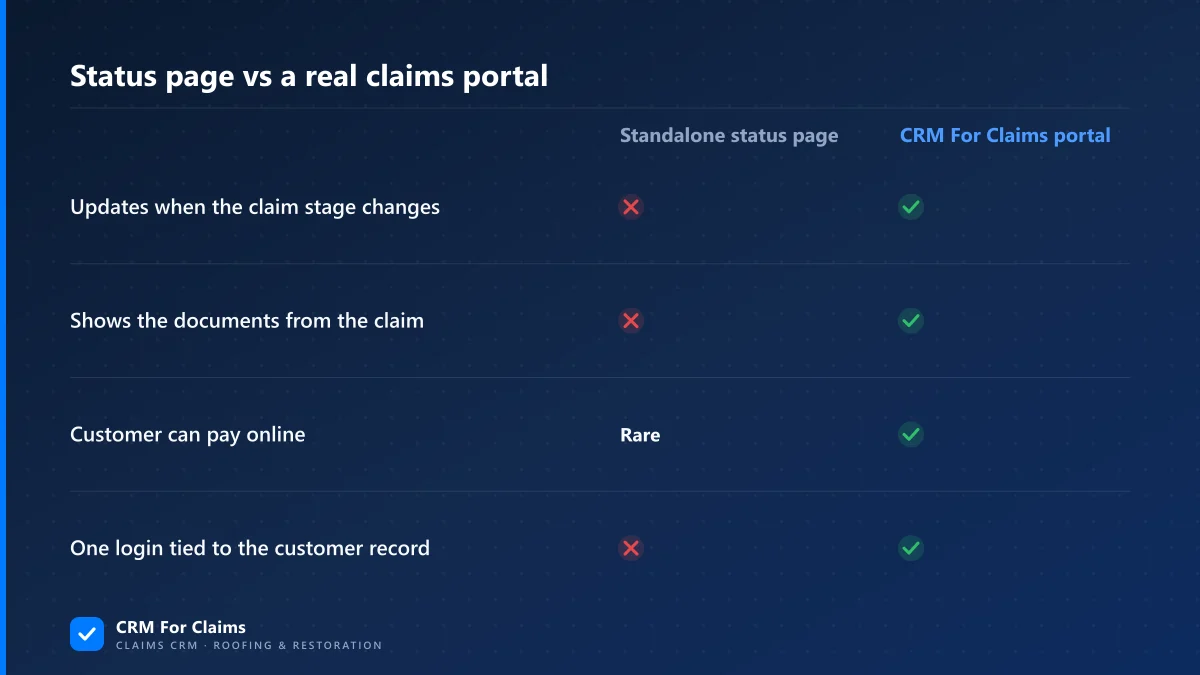
A useful portal shows the customer their claim's current stage, the documents that have been sent or signed, and a way to pay their portion online — pulled live from the claim record, not typed into a separate page by someone on your team. If a human has to update the portal by hand, it is not a portal, it is a second job.
That last part is where most "customer portal" pitches fall apart. A status page that a staff member updates once a day is really just a slower, uglier version of a text message. It still depends on someone remembering to change it, and the moment they forget, the customer is looking at a page that says "inspection scheduled" three weeks after the roof was already replaced. The whole appeal of a portal — that the customer can self-serve instead of calling — disappears if the page is stale.
| What belongs in a customer portal | What does not |
|---|---|
| Current claim stage, pulled from the live record | A generic "in progress" message that never changes |
| The documents already sent to the customer (estimate, contract, invoice) | A blank document library the customer has to ask you to fill |
| An online payment button for their portion of the invoice | A "contact us to pay" instruction behind a login wall |
| The name and number of who to call for their specific claim | A generic support email that goes to no one in particular |
Does a portal replace talking to the customer?
No, and it is not supposed to. A portal absorbs the low-value, repetitive contact — "where are we on my claim" — so the phone calls that are left are the ones that actually need a person: a change to the scope, a question about coverage, or a customer who is upset and wants to hear a voice. Cutting the wrong calls out is the goal, not cutting all of them.
I have watched restoration companies try to route everything through a portal, including conversations that clearly needed a human, and it reads to the customer as avoidance. The honest way to think about it: a portal handles status, documents, and payment. A person handles judgment, reassurance, and anything with a dollar figure attached that the customer is unsure about.
| What the customer wants | Best handled by |
|---|---|
| "Where are we on my claim?" | Portal — self-serve status |
| "Can I see the signed estimate again?" | Portal — document already stored on the claim |
| "How much do I still owe?" | Portal — invoice and online payment |
| "The adjuster is denying part of my claim, what do I do?" | A person — every time |
When is a customer portal worth building, and when is it noise?
It is worth it once repeat status calls are eating real time across more than one claim at once — usually once a company has a second person handling calls, or a storm season stacking claims on top of each other. Below that, a portal is a login page for one customer at a time, and a phone call is faster for everyone.
This is the same threshold I wrote about in when to move claims off a notebook and onto a CRM: the trigger is volume and a second person needing the same information the customer needs, not a fixed number of jobs per month. A solo operator running three claims knows exactly where each one stands without opening anything. A team running twenty knows they cannot answer "where's my claim" from memory anymore, and neither can the customer's phone call get answered fast enough without something absorbing the routine ones.
The honest failure mode runs the other way too: building a portal because it looks professional, then watching almost no one log into it. If your customers are mostly older homeowners who would rather call, or if most jobs close in under two weeks, a portal adds a login step to a relationship that was working fine over the phone. Worth building is a real threshold, not a default.
What should a restoration or roofing customer portal actually include?
At minimum, the same information the customer would otherwise call and ask for: claim stage, documents, and a payment link. Beyond that, most of what gets pitched as a portal feature is decoration that nobody opens a second time.
- Live claim stage — reflects the same pipeline stage your team sees, not a separate status field someone has to remember to touch.
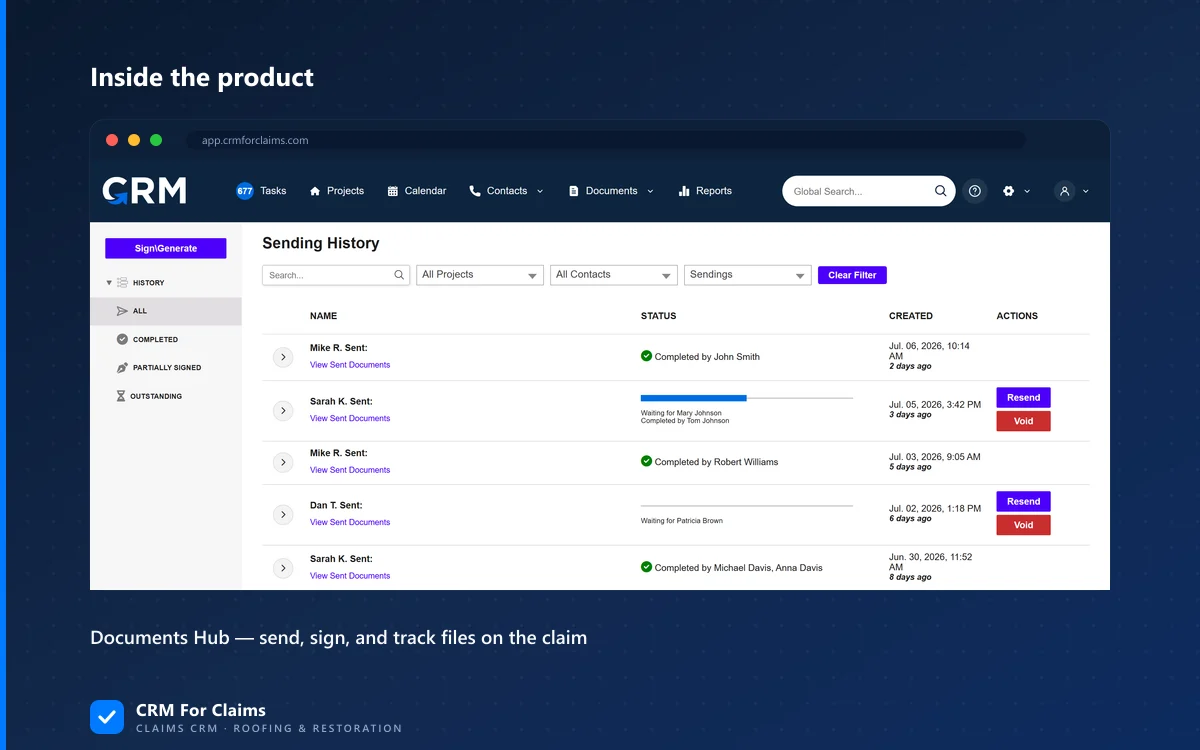
- Shared documents — the estimate, signed contract, and invoice, pulled from the same Documents Hub your team already uses, not a second copy stored somewhere else.
- Online payment — a button that reflects the actual invoice balance, tied to what was approved, the same way it works internally.
- A named point of contact — the person on your team actually assigned to that claim, not a general office line.
Does giving a customer a login create a security risk?
It does if the login shows more than that one customer's own claim, or if it reuses a password from somewhere else. Done right, a customer login is scoped to exactly one claim record and nothing else on your system — the customer cannot browse other jobs, other contacts, or anything outside their own file.
The bigger risk is usually the opposite of what people worry about: not a customer seeing too much, but a link that never expires or a password shared over an unsecured channel. A magic-link or one-time-code login tied to the customer's email or phone avoids most of that, since there is no reusable password sitting in an inbox for someone else to find. If a portal vendor cannot explain in one sentence what a customer can and cannot see once logged in, that is worth asking about directly before rolling it out to anyone.
What is the real cost of skipping a portal?
The real cost is not a missed feature checkbox, it is staff time. Every "just checking on my claim" call takes someone off whatever they were actually doing, and that cost scales with claim volume in a way a single office manager cannot absorb once storm season stacks fifteen claims at once. That is the same math I laid out in the real cost of the workarounds a generic CRM quietly charges you — the cost hides in interruptions, not in a line item.
It is also worth saying plainly: a portal does not fix a company that is genuinely behind on a claim. If the honest status is "we have not started the estimate yet," a portal just shows that faster and with less patience on the other end. A portal makes an on-track claim easier to follow. It does not make a stalled one look better — and trying to use one that way tends to erode trust faster than a late phone call would have.
CRM For Claims builds the customer portal from the same claim record your team already works from — stage, documents, and invoice all come from one place, so there is nothing separate to keep in sync. If you want to see what that actually looks like on a real claim instead of a slide, book a live walkthrough, or compare it against what you are running today on the comparison page. Full plan details, including what is included at each tier, are on pricing, and the rest of what the platform does day to day is on features.