The first 30 days of a roofing CRM are for one result: every open claim lives in the new system, on a stage your office named, with a person and a date attached to whatever it is waiting on. That is a thing you can count on day 30. Whether the team "likes it" is not, and it is the question most rollout advice stops at.
I build CRM For Claims, a CRM for roofing and restoration companies that work insurance claims. Insurance work breaks the usual first-month advice in one place: half your open jobs are waiting on somebody who does not work for you. A carrier inspection, a revised estimate, a mortgage company endorsement. A rollout plan written for sales teams has nowhere to put those, so they drift back into a notebook by week two. The plan below is cut into four gates, and each gate ends with a test you run on the claims, not on the people.
What should the first 30 days of a roofing CRM look like?
Four stretches, each with a pass or fail check at the end. Do not start the next one until the last one passes, even if the calendar says you are behind. A gate you skip comes back as the reason the old spreadsheet is still open in March.
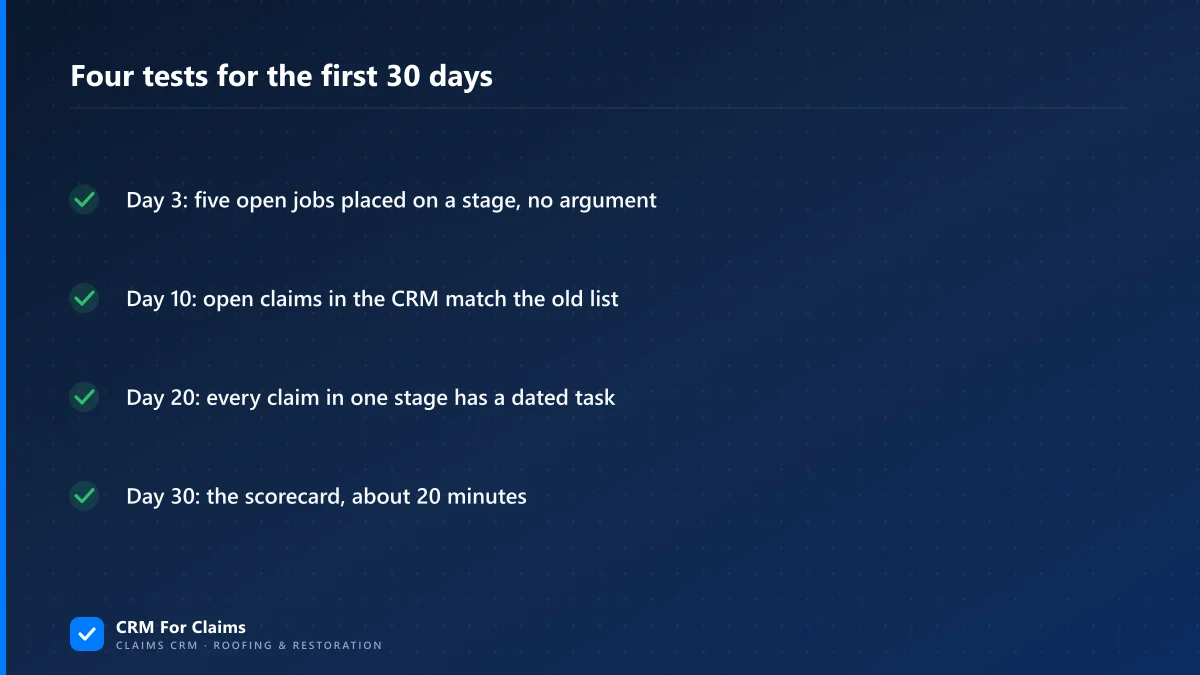
- Days 1 to 3Write your stagesName every step between a new lead and a closed file, in the words your office already says out loud.Test: pick any five open jobs from memory and place each on a stage without arguing about it.
- Days 4 to 10Load the open claimsOnly jobs that are still alive go in. Closed files stay where they are.Test: the count of open claims in the CRM matches the count on the old list or whiteboard.
- Days 11 to 20Automate one handoffOne stage, the one where files get dropped most, starts creating its own task.Test: no claim in that stage is without an open task that has a name and a due date on it.
- Days 21 to 30Read the age bandsLook at what has sat too long, fix the stage that keeps collecting it, then close the old sheet.Test: the day-30 scorecard further down, about 20 minutes with the office manager.
Days 1 to 3: write the stages between the lead and the check
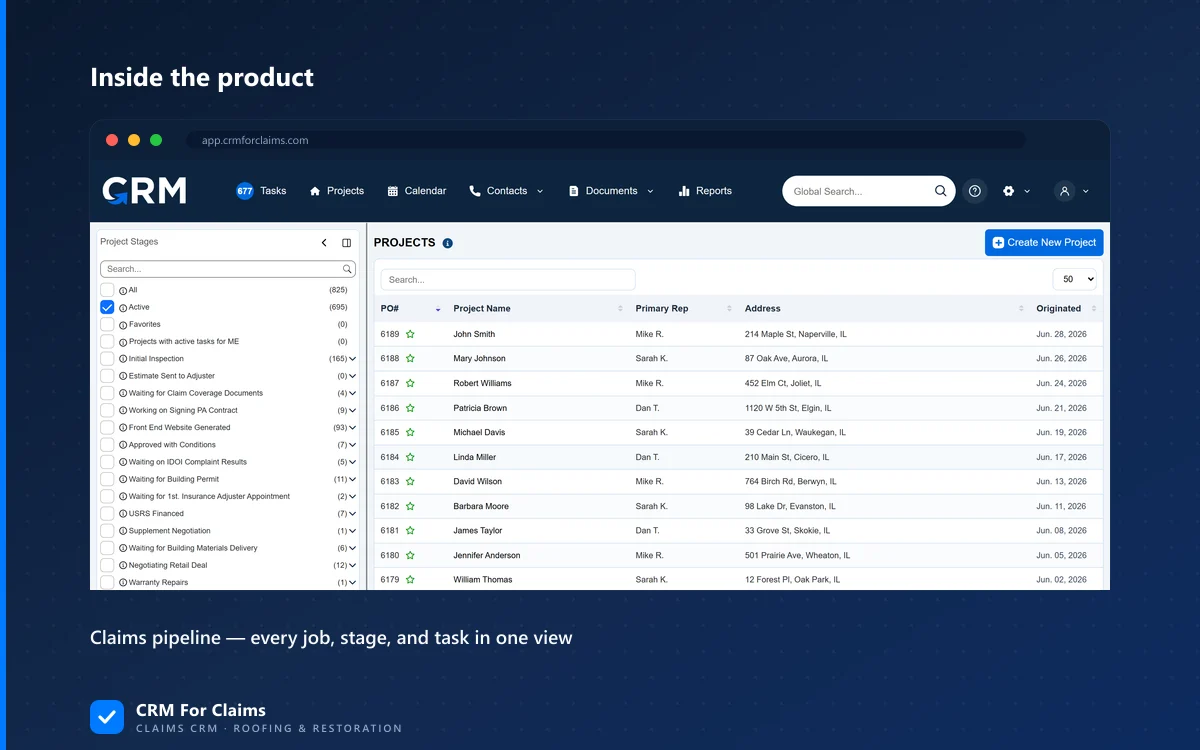
A new CRM For Claims account starts with three stages: Potential Customer (LEAD) at the front, and Completed/ Closed and Cancelled at the end. Everything in between is yours to write, because a roofer who files on hail and a restoration company drying basements do not wait on the same things. That empty middle feels like homework on day one. It is also the only reason the pipeline will read like your office instead of like somebody's sales deck.
Write the stages around who the file is waiting on. For a typical insurance roof, the waits that deserve their own stage are usually these: the inspection is booked, the claim is filed and the carrier has not been out, the adjuster has been out and you are waiting for the estimate, a supplement is out, the job is approved and waiting for a crew, the work is done and the depreciation check has not arrived. Some offices need a permit stage, some do not. Six to ten stages is a normal range; twenty means some of them are tasks pretending to be stages.
Most of what has to be decided before anyone logs in is covered in the post on setting up a claims CRM around your own process, and the account itself on day one is laid out on the claims CRM implementation page. Add the people last. Seats cost money ($39 a month for each user after the first admin), so add the office manager and the people who move claims this week, and the rest when they actually need to open a file.
Days 4 to 10: only open claims go in
Enter the claims that are still moving, and leave the closed ones in the old system, where they stay readable. A CRM that opens onto 60 live files gets used on Monday. One that opens onto four years of finished jobs teaches everybody to search the old place first.
Start with the jobs that have money or a deadline in the next two weeks, then work backwards. Each claim goes in at the stage it is really at today, with its carrier, its claim number and its date of loss, and the documents that exist go into its folders. On the Projects screen, Create with AI takes an uploaded insurance policy, even one photographed across several pages, and fills in the project from it: the named insured, the carrier, the policy and claim numbers and the date of loss. Check what it filled in. It saves typing, it does not replace reading.
The gate is a count, and it is blunt on purpose. Write down how many open jobs the whiteboard or spreadsheet shows on day 4. On day 10 the CRM shows the same number, or you know the name of every job that is missing and why. If you are coming off another CRM rather than a spreadsheet, the post on moving off a CRM without losing your history covers what to keep from the old one.
Days 11 to 20: one automation, on the handoff that hurts
In the stage settings, every stage has an On entry section: when a claim enters it, the CRM can send an email or an SMS from your templates and create a task from a task template, assigned by role or by user. You could switch that on for every stage in an afternoon. Do it for one.
Pick the stage where files have gone quiet before. In most roofing offices it is the moment the adjuster leaves the roof. Written out, that stage and the one after it could look like this:
- Stage: Adjuster inspected, waiting on estimate
- On entry: a task for the office manager to call the adjuster if no estimate has come in after 7 days.
- On entry: an email to the homeowner from your template saying the inspection happened and what comes next.
- Stage: Approved, waiting on crew
- Gated: the claim cannot move here while it still has open tasks, so nobody schedules a roof with the signed paperwork still missing.
That last line uses a stage rule rather than a message. A stage can also be gated, so nobody can move a claim into it while the claim still has open tasks. It is the cheapest way to stop a job from jumping ahead of its paperwork, and it costs nothing to undo if it annoys people in the first week. The automations and tasks page shows the full list of what a stage can be told to do.
Why only one? Because in week two you still do not know which messages homeowners find useful and which ones they find spammy, and a bad automation on ten stages generates ten complaints before lunch. Watch one stage for a week. If its task list is clean on day 20, add the next.
Days 21 to 30: the age bands tell you what stalled
Each stage already sorts its claims into four age bands: 0-30, 30-60, 60-90 and 90+ days. By week four you have enough history for those bands to mean something. Open the stages one by one and look only at what sits past 30 days.
A stage that keeps collecting old files is either a real wait (carriers are slow, and that is no surprise) or a stage nobody owns. The fix for the first kind is a reminder that does not depend on anyone's memory. A While in stage action repeats on a schedule for as long as the claim sits there, for example a task every 7 days, and stops when the claim leaves. Put one on the carrier wait and the follow-up call happens every week until the estimate shows up. The fix for the second kind is a name: somebody's role goes on that stage's task.
And a stage can be set to finish itself when a file lands in a chosen folder: upload the signed paperwork and the claim leaves the stage, its On exit actions run and the open tasks the stage created are marked done. That one is worth adding late in the month, once people trust that uploads go in the right folder.
Then retire the old sheet. Not with a speech: stop answering questions from it. When somebody asks "where is the Miller roof?", the answer is "what does the claim say?" for two weeks, and after that nobody asks.
The day-30 scorecard
Sit down with whoever runs the office and answer these from the screen, not from memory. A bad answer is not a failure of the month; it tells you what to change in month two.
| Question | Where you look | If the answer is bad |
|---|---|---|
| Is every open job in the CRM? | Open claims against the day-4 count, plus anything signed since | Find who is still keeping a side list and ask what it gives them that the claim does not |
| Is any claim on a stage nobody could explain? | The pipeline, stage by stage | Rename or merge that stage; a stage people avoid is worded wrong |
| Does every waiting claim have a task with a name and a date? | The tasks on claims in your waiting stages | Add an On entry task to that stage instead of reminding people |
| What sits in the 90+ band? | The age bands on each stage | Either a recurring task on that stage, or a decision to move the file to Cancelled |
| Did the one automation help or annoy? | Ask the office manager and one homeowner who got the email | Change the template wording before you add a second automation |
| Who still asks you where a job is? | Your phone and your texts this week | Show that person the claim screen once, then point them back to it every time |
The last row matters most if you own the company. The month worked when the people who used to ask you about a claim start opening the claim instead. The reporting and KPI screens become useful after this point, because the numbers finally describe every job instead of the ones somebody remembered to enter.
If you want to see the stage settings, the age bands and Create with AI on a real screen before you commit a month to them, book a live walkthrough and bring the list of stages your office uses today. The pricing page has the plans; Essentials and Professional are billed monthly and can be cancelled at any time.